Best Photo to Cross-Stitch Pattern Generators & Converters (2026)
Quick Answer
Which online cross-stitch pattern generator or photo converter to use: what each costs, whether it matches DMC colors, whether it exports a printable PDF, and where it falls short.
Which Cross-Stitch Pattern Generator Should You Use?
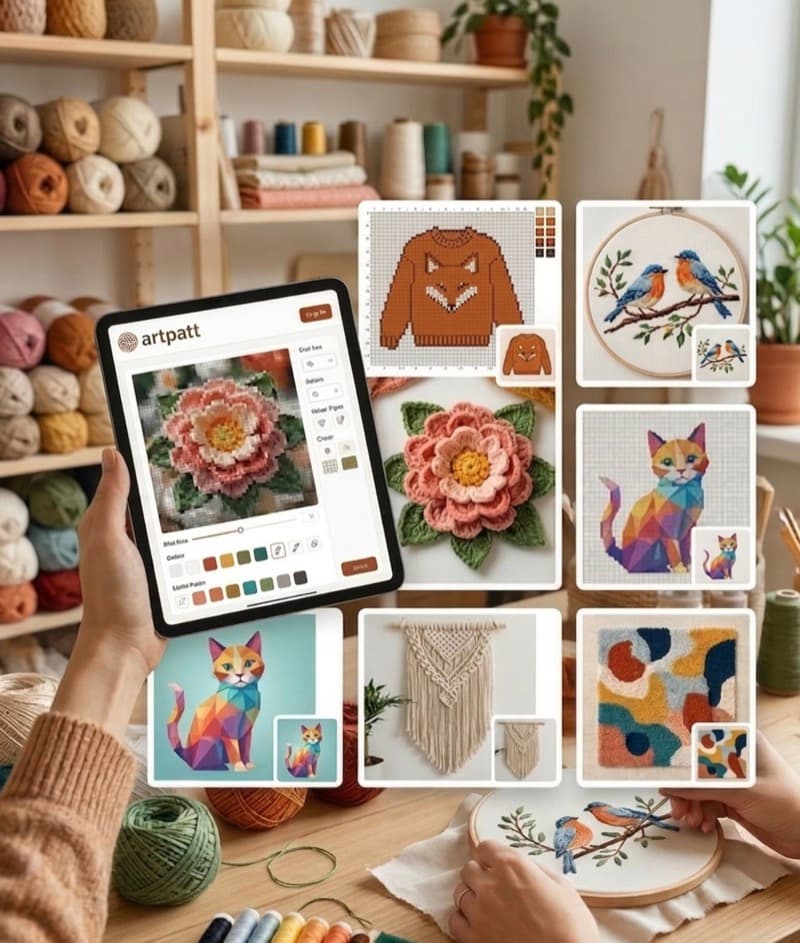
Converting a photo or picture to cross stitch and you want DMC colors, a printable PDF, and as little manual cleanup as possible: use ArtPatt, free to generate and preview in the browser with no account, paid only when you export the files. Want to draw and edit a chart cell by cell instead: Stitch Fiddle or FlossCross, though Stitch Fiddle keeps photo upload behind its paid plan while FlossCross is free with no registration. Want the fastest possible online conversion with no settings to learn: Pic2Pat or Pixel-Stitch. Need Anchor or Madeira numbers rather than DMC, or a knitting or beading chart from the same photo: Stitchboard. Prefer a desktop program you install once and own: KG-Chart on Windows. The rest of this comparison is the evidence — cost, palette, PDF, account or download, and the honest weakness of each.
Five Questions That Separate These Tools
Most comparisons list features. Only five things change the outcome of a real project. What does it cost, and is the cost per pattern or per month? Does it match to a real thread palette — DMC, Anchor, Madeira — or to generic colors you then have to translate yourself? Does it export a printable PDF with a symbol chart, a legend, and thread quantities, or only a picture of a chart on screen? Does it need an account, a download, or both before you can see whether the output is any good? And what does it do about confetti, the scattered single stitches that make a photo conversion technically correct and practically miserable to stitch? A tool that answers all five well is rare. A tool that answers none of them publicly should be tested on a free preview before you pay anything.
Why DMC Color Matching Decides How the Finished Piece Looks
A cross-stitch chart is only as good as the thread numbers on its legend. Match a photo's colors badly and the stitched result drifts away from the picture — skin turns orange, shadows go muddy, blues slide toward purple — and no amount of stitching skill recovers it. The naive approach is RGB distance: pick the thread whose red, green and blue values are numerically nearest each pixel. Numerically near and visually near are not the same thing, which is why RGB matching struggles most on exactly the images people want to stitch: faces, fur, and any picture built from close mid-tones. CIEDE2000 is the perceptual color-difference formula built to model how the eye actually reads those differences. ArtPatt matches with CIEDE2000. Most converters do not publish which method they use, which is itself worth knowing before you pay for a chart.
What We Checked, and What We Could Not
For every tool below we recorded only what its own site states: the price and whether it is charged per pattern or per month, whether an account or a download is required before you see output, which thread palettes it matches to, what file you get at the end, and which conversion controls it advertises — confetti reduction, backstitch, image adjustment, size and color limits. What we deliberately did not do is claim a verdict on another tool's internal color-matching quality. Nobody outside those teams can inspect their algorithms, and a comparison that invents test scores for competitors is not worth reading. Where a figure appears only on a third-party comparison page rather than the tool's own site, we say so and leave it unverified. Where a claim concerns ArtPatt, it comes from the product itself.
ArtPatt — Photo to Cross Stitch with DMC Matching and Printable PDF
Cost: free to upload, generate, adjust and preview one pattern project with no account. Exports are paid — $2.99 unlocks the HD PNG and printable PDF for a single pattern, or Pro at $6.99/month or $39.99/year for unlimited projects and exports. Palette: DMC and Anchor thread maps, matched with CIEDE2000, the perceptual color-difference formula, rather than raw RGB distance. PDF: printable chart in 50x50-stitch sections with a symbol legend, DMC numbers and per-color thread quantities. Account or download: neither, it runs in the browser. Also included: adjustable confetti reduction, automatic backstitch edge detection, image adjustments before generation, a chart editor with brush, fill, shapes, text and symmetry, and 16 craft types from the same upload, every one of them on the free tier except amigurumi. Honest weakness: the free tier is one project, not unlimited free patterns, and every file you print costs something. There is no community pattern library to browse, no offline desktop app, and no .oxs interchange with other chart software.
Stitch Fiddle — Strong Chart Editor, Photo Upload Is Paid
Cost: free plan covers 15 charts, up to 300x300 stitches and 50 colors per chart. Premium is listed at EUR 4.50 per month, or EUR 27 per year, billed as a one-off payment with no automatic renewal. Palette: the cross-stitch page names DMC (489 colors), Anchor (445) and Madeira Mouline (379) — one system more than ArtPatt — and the pricing page puts custom color selection on Premium. PDF: Premium only, alongside SVG, Word and Excel export. Account or download: account required, no download. The editor is the reason to be here — layers, mirror and rotate, fill, advanced stitch options, error checking and collaboration. Honest weakness for anyone arriving from a photo: picture upload is a Premium feature, so the free plan does not convert your photo at all, and neither the free nor paid plan advertises automatic confetti reduction, so a busy photograph still needs cleaning by hand.
Pic2Pat — Three Steps, Almost No Settings
Cost: the site presents the converter as free. Third-party comparison pages claim a per-pattern charge for the full download; we could not confirm any price on Pic2Pat itself, so treat the paid step as unverified and check at download time. Palette: it reports which floss colors and how many skeins each pattern needs; the site does not spell out which palette systems it supports. PDF: the finished chart is downloaded and stored on your computer so you can reprint without returning to the site. Account or download: no account mentioned, browser-based, images up to 18 MB. Honest weakness: it is deliberately minimal — upload, size, colors, done. There is no published confetti control, no backstitch detection and no image adjustment, so a detailed photograph converts as-is, and complex subjects come out noisy.
Pixel-Stitch — Free, Browser-Side, PDF Included
Cost: free, stated plainly on the site. Palette: the site does not name the thread systems it matches to, though the exported PDF carries color numbers and a legend. PDF: yes, downloadable and printable, with the color numbers and legend needed to start. Account or download: no account mentioned, and nothing to install. All processing happens in the browser and the site states that no images are stored, which is worth something if you are converting a photo of a person. You choose stitch count and color count, and the same tool also outputs fuse-bead and diamond painting templates. Honest weakness: those two settings are close to the whole of it. No confetti reduction, no backstitch, no brightness or contrast pass before conversion, and no way to fix a bad cell after the fact.
FlossCross — Free Editor with a 498-Color DMC Palette
Cost: free, and usable without any registration. Palette: 498 DMC floss colors rendered under even lighting, which is the most honest on-screen preview of thread color in this list. PDF: chart export to PDF with custom settings, plus import and export of .oxs (Open X-Stitch) files for moving a chart between programs. Account or download: neither. It runs in the browser with WebGL rendering, autosaves your work, and supports backstitch in line and pen modes plus half-cross and petite stitches. Honest weakness: it is an editor first and a converter second. Photo import exists, but there is no published automatic confetti reduction, so photographic subjects arrive scattered and you clean them up with the drawing tools. The site publishes no maximum chart size; comparison pages elsewhere quote one, and we could not verify it.
Stitchboard — Anchor and Madeira Numbers, Four Crafts
Cost: the pattern wizard is free, and free membership adds more. Palette: the widest choice here — cross stitch matches to DMC, Anchor or Madeira; crochet and knitting to DMC, Anchor or Stitchboard's own; beading to Miyuki Delica or Miyuki Seed. PDF: the wizard page lists on-screen output with PDF marked as coming, so do not count on a print-ready file until you have seen one. Account or download: no account needed to create and download a pattern; free membership raises the upload limit from 1 MB to 5 MB, unlocks extra stitches such as herringbone and Tunisian crochet, and lets you publish patterns to the community. Honest weakness: the upload ceiling without an account is small enough that most phone photos exceed it, and the PDF question is unresolved — confirm you can get a printable file before planning a project around it.
KG-Chart — Windows Desktop Editor, Not a Quick Converter
Cost: a paid Pro version is current; the overview page also refers to an LE edition needing no registration or payment, without confirming that it is still distributed, so check before planning around a free copy. Palette: a color palette that mimics DMC thread colors. PDF: it prints and previews charts directly rather than advertising a PDF export pipeline. Account or download: a Windows download, versions listed for Windows 8, 10 and 11; the cross-platform successor StitchSketchEx covers Mac, Windows, iOS and Android. It imports bmp, png, jpg, gif and ico, draws backstitch, and marks colors with symbols. Honest weakness: this is design software, not a photo converter. Nothing about it is one-click, and if all you want is a picture turned into a chart you will spend the evening learning the program instead.
Cost, Palette, PDF and Account Side by Side
Free to convert a photo with no account required or mentioned: ArtPatt (one project), Pic2Pat, Pixel-Stitch, FlossCross, Stitchboard. Paid before a photo converts at all: Stitch Fiddle. Requires an install: KG-Chart. Named thread palettes: ArtPatt (DMC, Anchor), FlossCross (498 DMC), Stitchboard (DMC, Anchor, Madeira for cross stitch), Stitch Fiddle (DMC, Anchor, Madeira Mouline; custom colors on Premium), KG-Chart (DMC-style palette); Pic2Pat and Pixel-Stitch report color numbers without publishing the systems behind them. Printable PDF: ArtPatt on paid export, Stitch Fiddle on Premium, FlossCross free, Pixel-Stitch free, Pic2Pat as a downloadable chart, Stitchboard listed as coming. Automatic confetti reduction: ArtPatt only — no other tool here publishes one. Crafts beyond cross stitch: ArtPatt and Stitchboard. Recurring price: ArtPatt $6.99/month or $39.99/year, Stitch Fiddle EUR 4.50/month or EUR 27/year; ArtPatt also sells a single pattern outright at $2.99.
If You Are Not Going to Pay Anything
Three tools convert a picture to cross stitch online, for free, with no account and a file you can print: Pixel-Stitch, FlossCross and Pic2Pat. FlossCross is the pick if you are willing to tidy the chart yourself, because the 498-color DMC palette and the drawing tools let you fix what the conversion got wrong. Pixel-Stitch is the pick if you want the PDF in two minutes. Stitchboard is free too and the only free route to Anchor or Madeira numbers, but stay under the 1 MB upload limit or register. ArtPatt is free to generate, adjust and preview a pattern with no account — the charge is for the printable files, $2.99 for one pattern. Stitch Fiddle is not a free option for photo work, whatever its free plan looks like from the outside.
How to Judge a Generator Before You Pay
Do not take any comparison's word for output quality, including this one. Run your own photo through the free preview and look at three things. Skin and fur: does a face stay a face, or do the mid-tones collapse into one flat color? Foliage and shadow: do close greens and near-blacks separate, or merge into a single dull block? And confetti: pick any 20x20 area of the chart and count the colors that appear once or twice — those are the stitches that will cost you an hour each in thread changes. A generator that fails these on a preview will fail them on the PDF you paid for. Every tool in this list except Stitch Fiddle lets you see something before money changes hands.
What Makes a Cross-Stitch Pattern PDF Actually Usable
A PDF is not automatically a pattern. The minimum for a stitchable file: a legend giving DMC number, thread name, color swatch, unique symbol and the meters or skeins needed per color, and grid pages split into manageable sections (50x50 stitches is the convention) with row and column numbers marked at intervals. Without section numbers you lose your place across hundreds of stitches with no landmark to count back from. Without quantity estimates you cannot buy thread before starting. Useful extras: a symbol-only black-and-white version for printing without a color printer, a full-chart thumbnail, and section pages labelled with their coordinates. When a tool offers a free output, print one page before subscribing — the structure of the PDF tells you more about a generator than its interface does.
FAQ
Can I sell cross-stitch pieces made from a converted photo?
Patterns ArtPatt generates from your own photo are yours to use, including selling the finished piece. Check each platform's terms before selling, and never convert someone else's photograph or artwork without permission.
How big does a cross-stitch portrait need to be?
A face needs roughly 70x90 stitches to stay recognisable. Most portraits look right at 100x120 stitches or larger on 14-count Aida.
How many DMC colors should a photo pattern use?
Around 18-25 for a portrait, 12-20 for a landscape and 6-12 for a graphic design. Every extra color is another skein to buy and another thread change to make while stitching.
Does the color matching method really change the result?
It matters most where colors sit close together — skin, fur, shadow and foliage — which is exactly where photo conversions usually fail. Perceptual matching such as CIEDE2000 models how the eye reads those differences; numeric RGB distance does not.
Why is my converted pattern covered in single scattered stitches?
That is confetti: isolated stitches in colors that appear once or twice. Unless the converter reduces it automatically, you remove it by hand before the pattern is pleasant to stitch.
Related Articles