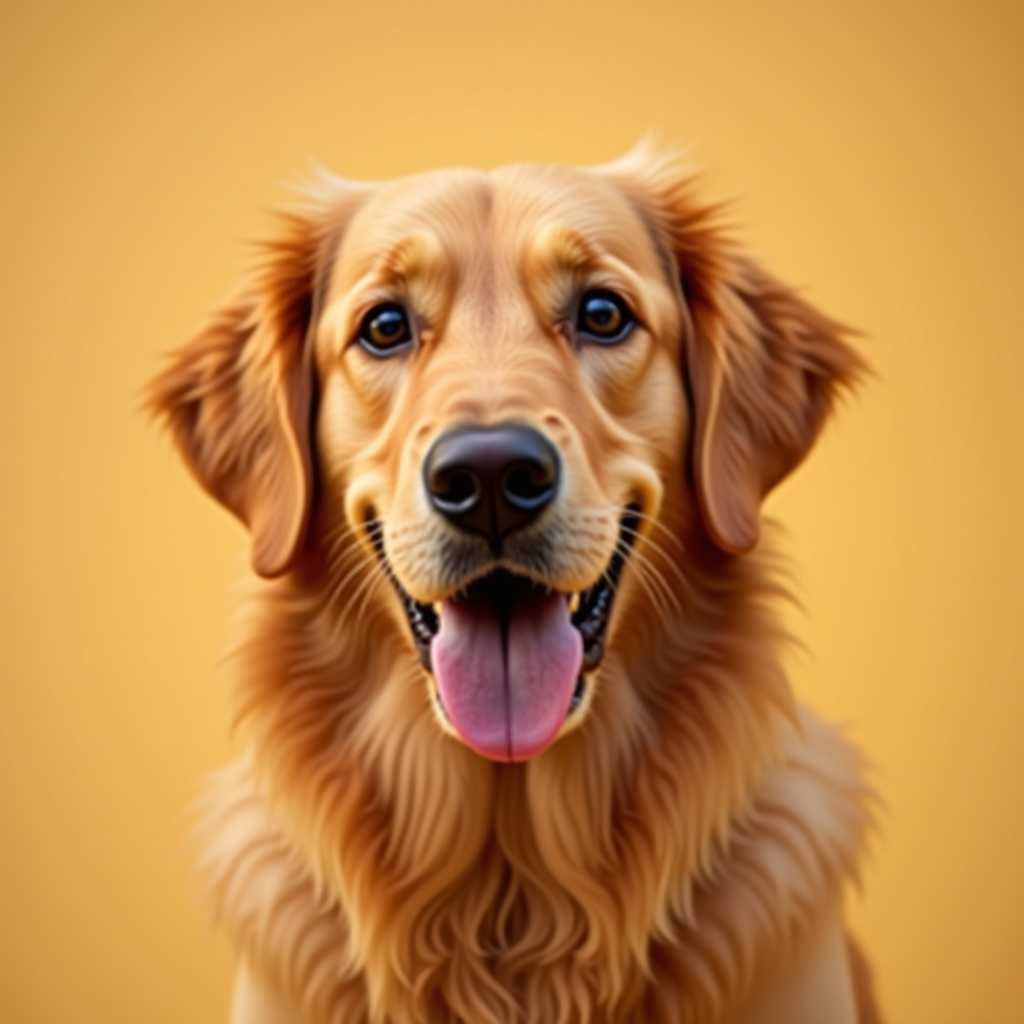
Your photo
Crochet Pattern Maker & Generator
From Any Photo
Upload an image, choose SC, HDC or DC, and get a color chart sized for real stitches, with yarn for every color.
Free to use · No sign-up
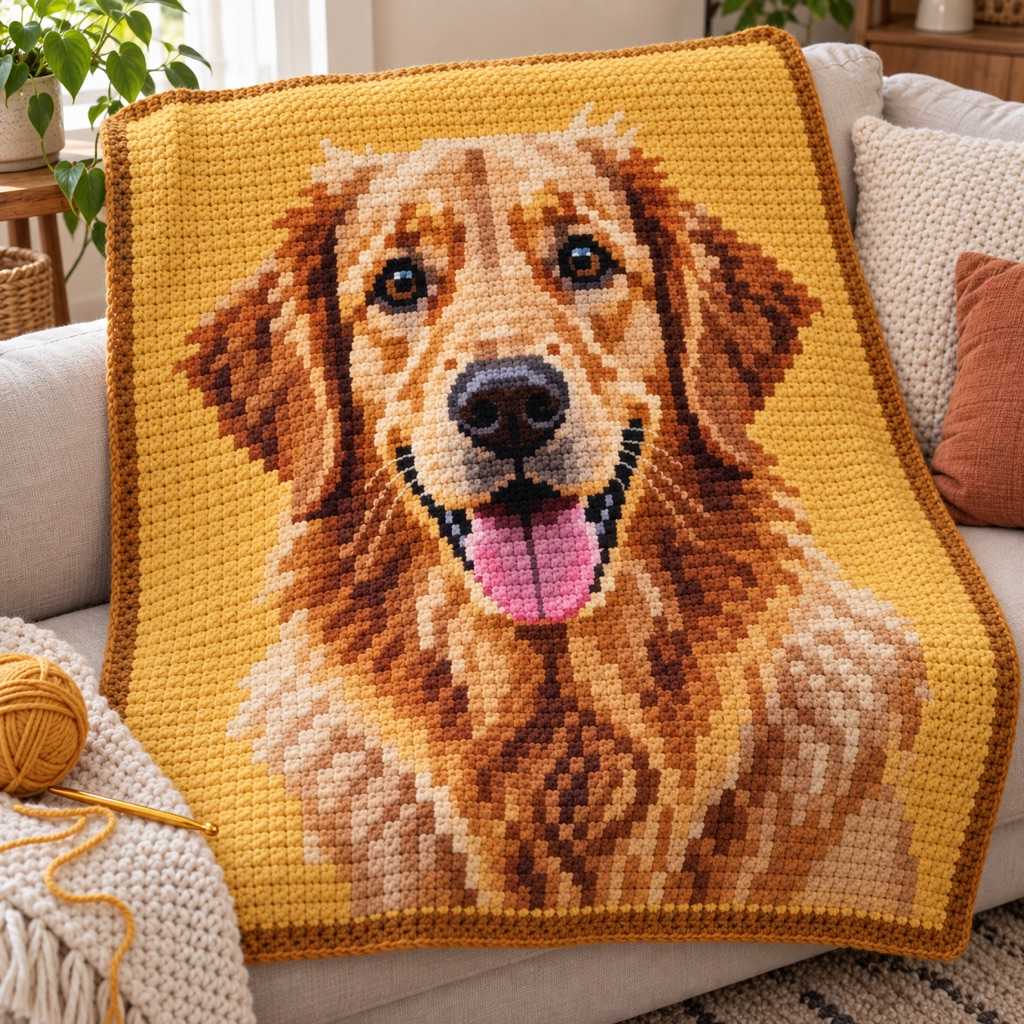
Crochet previews show stitch counts, yarn colors, and a grid matched to the selected stitch type.
What You Get from One Photo
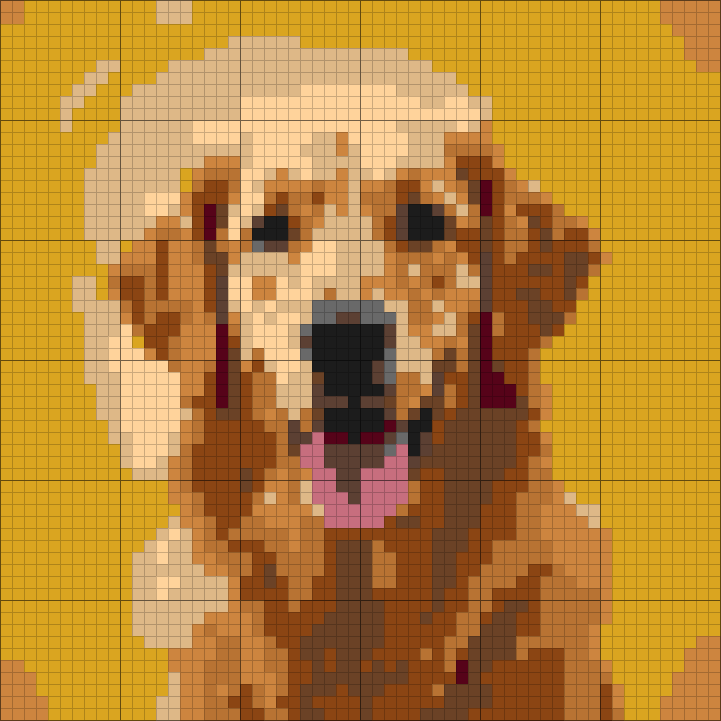
This is the chart ArtPatt made from the photo above: 60 × 60 crochet chart in 12 colors.
Yarn colors matched
Each color in the picture is matched to a yarn shade and listed in the legend.
Written rows, not just a grid
Every row is written out as color runs, so you can work from the list instead of counting squares.
Balls counted per color
Stitch counts are turned into how much yarn each color needs.
Color legend from this chart
- Goldenrod2 balls
- Tan1 ball
- Saddle Brown1 ball
- Copper1 ball
- Peru1 ball
- Walnut1 ball
+ 6 more colors in the full legend
From Crochet Chart to Finished Piece
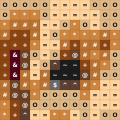
The same few squares, as they sit on the chart and as they look once worked.
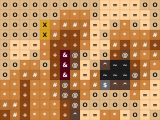
On the chart
- One square, one color, one symbol
- Rows and columns are numbered in the PDF
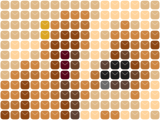
Worked in single crochet
- Each square of the chart is one stitch
- Stitches are wider than tall, and the chart is sized for that
- Carry or change colors where the chart does
How it works
Upload Any Photo
Pet portraits, landscapes, logos, pixel art — any photo from your phone or computer. Best results with clear subjects and good contrast.
Choose Stitch Type
SC for detail, HDC for taller rows, DC for C2C and filet. Each stitch changes the number of rows and the yarn estimate.
Fine-Tune Settings
8-12 colors for blankets, 15-20 for portraits. Confetti: Heavy for tapestry crochet. Brightness/contrast sliders for dark photos.
Download Your Chart
Download HD PNG + printable PDF with yarn legend, quantities per color, and numbered grid pages. $2.99 one-time or free with Pro.
Which Crochet Chart Do You Need?
A color chart from a photo — this page
Any picture as a stitch-by-stitch color grid in SC, HDC or DC, for blankets, pillows and wall hangings. Pick the stitch, the generator sizes the grid for it.
Tapestry crochet
Carried yarns inside single crochet: few colors, solid blocks, a firm reversible fabric for bags and baskets.
Mosaic crochet
Two colors, one per row, worked with overlay dc: an X chart and written BLO rows.
Filet crochet
One color of thread, blocks and spaces: a silhouette or monogram as open lace mesh.
Corner to corner (C2C)
Square tiles worked on the diagonal, with the row-by-row tile count C2C needs.
Letters and names
Type a word or name and get it as a crochet grid in a chosen font, no photo needed.
A Worked Example: Pillow Front from a Pet Photo
A square photo at 60 stitches wide in single crochet gives a chart about 70 rows tall: single crochet is a little wider than tall, so the generator adds rows to keep the face from looking squashed. At a gauge of 16 SC per 10 cm that is a pillow front about 37 cm square, roughly 4,200 stitches.
With 6 colors, the yarn legend counts each color's stitches at 12 cm of worsted yarn per single crochet plus a 15% buffer: about 580 m for the whole front, a little over three 180 m skeins, though you buy at least one of each color. Colors scattered in small patches get extra for the starts and stops. At 90 stitches an hour it is about 47 hours of crochet.
The same photo in half double crochet needs fewer rows (HDC is taller than wide) and about 30% more yarn per stitch; in double crochet the grid stays square and each stitch takes about 60% more yarn. The preview shows these numbers before you download anything.
Try it with your own photoWhy Crocheters Choose This Crochet Pattern Maker
Built specifically for crochet colorwork — not a cross-stitch tool with a crochet label.
Real Stitch Ratios
Crochet stitches are not square pixels. Single crochet is a little wider than tall, so ArtPatt adds rows; half double crochet is taller than wide, so it uses fewer; a C2C tile is close to square. The chart is sized for the stitch you pick, so the finished blanket keeps the picture's proportions.
Confetti Elimination
The #1 complaint from crocheters: isolated single-stitch color changes. Each means cutting yarn and weaving ends. Our majority-vote filter detects and removes them. Set to Heavy for tapestry crochet — under 3% confetti is ideal.
Accurate Yarn Estimates
SC: ~12cm/stitch. HDC: ~15cm. DC: ~19cm. Per color including fragmentation overhead (scattered colors waste more on starts/stops) plus 15% buffer. Know exactly how many skeins to buy before starting.
120+ Yarn Colors
Full spectrum from white through black — pastels, neons, earth tones, metallics. Click any color to swap it with searchable database. Match yarn you already own.
Dithering for Gradients
Floyd-Steinberg error diffusion creates a stippled effect simulating smooth gradients with fewer colors. In crochet this produces a heathered look similar to variegated yarn.
Professional PDF Charts
Cover: complete yarn legend (name, code, symbol, meters, skeins). Grid: page-sized sections with row/column numbers. Print, put on magnetic board, mark off rows as you go.
A Crochet Chart, Grid and Graph Maker
Crocheters call the same thing a chart, a graph or a grid: squares in rows, one square per stitch, one color in each. This maker gives you that grid from a photo — sized in stitches for your gauge, with every color counted — or as an empty grid you fill in yourself.
Start from an empty grid to draw a motif, lettering or a border square by square, with a pencil, a fill tool and straight lines, and undo as you go. Or upload a picture and change any square the generator chose. Either way you can print the graph or work from the rows written out color by color.
Start from an empty gridTapestry Crochet, C2C, and Graphghan Patterns
Tapestry crochet carries multiple yarns inside the stitches, creating a thick, reversible fabric. For tapestry, use SC stitch type, 8-12 colors maximum, and Heavy confetti reduction. The carried yarns mean every isolated color change adds bulk — our filter keeps your fabric even.
Corner-to-corner (C2C) uses DC clusters as pixels. Each C2C tile is larger than SC, so use a smaller grid (40-60 wide). Enable dithering for photos — the stippled effect looks beautiful in C2C because adjacent tiles blend at a distance. For a standard throw (120×160cm), you need about 200×260 stitches at 16 SC/10cm gauge.
Graphghans are typically SC with 2-3 colors per row. The row/column numbers every 10 stitches help you keep count on long rows. Pro tip: print the B&W symbol chart and use a ruler to track your current row while referencing the color chart for yarn selection.
Filet crochet is a different kind of chart: one color of thread, filled blocks and open spaces instead of colored squares. For that, use the filet crochet pattern maker — it turns a silhouette, word or monogram into a block-and-space mesh chart.
Start from the Finished Object, Not from the Photo
A blanket, a tote panel, a wall hanging and a pillow front do not want the same chart. Each has its own scale and its own tolerance for complexity, and that decision — made before you upload anything — is what sets the right stitch, the right grid size, and the right number of colors. A chart that reads beautifully as a pillow can be badly under-detailed once it is stretched to blanket size.
Pick the image against the object. High-contrast pet portraits, logos, simple florals, and graphic landscapes convert well; crowded photos with lots of small detail usually do not. A useful test: if the subject only holds together when you zoom in, it needs a much bigger chart or a different craft. Crochet rewards images that stay recognizable at reduced detail.
Stitch choice follows from the same decision. Single crochet behaves most like a compact pixel and keeps portraits, motifs, and lettering clearest, at the cost of speed. Half double sits in the middle for medium-detail work. Double crochet is fastest and best for large blankets and bold motifs, but it shifts the chart's proportions the most — which is exactly why it is worth choosing before generating rather than after.
Crochet Pattern Generator FAQ
Yes. 1 upload, generation, and full browser preview and all of its edits are free, with no account required. A $2.99 single-pattern unlock gives you the PNG and printable PDF. Pro ($6.99/month or $39.99/year) unlocks unlimited projects, every export, and every other craft generator.
Yes — tapestry crochet is the primary use case for SC mode. Use 8-12 colors, set confetti to Heavy. Each cell = one single crochet stitch. The carried yarns are hidden inside the stitches, so you need solid color blocks without isolated changes — our confetti filter ensures this. Under 3% confetti is ideal for clean tapestry fabric.
8-12 colors for most blankets. Each color = a skein to buy ($4-8 each) and manage while crocheting. At 10 colors with a 150×200 grid (30,000 stitches), you'll need roughly 3,600m of yarn total. The PDF legend breaks this down per color so you know exactly how many skeins of each to buy.
The on-screen grid shows one square per stitch, but stitches are not square. Single crochet is a little wider than tall, so the chart has extra rows and looks tall on screen — once crocheted, those rows come out shorter and the picture returns to its real proportions.
SC: 12cm/stitch, HDC: 15cm, DC: 19cm — based on worsted weight at standard gauge. We add 15% waste buffer plus fragmentation overhead (scattered colors waste more on starts/stops). If your gauge differs from 16 SC/10cm, yarn usage changes proportionally. Always round up and buy an extra skein of your most-used color.
Absolutely. Use DC stitch type (the ratio matches C2C tiles), grid 40-60 wide, Heavy confetti. Enable dithering for photos — it creates a beautiful pointillist effect. Each chart cell = one C2C tile. Yarn estimates use DC's higher 19cm/stitch rate.
Use Mosaic mode for two-color, right-side-only overlay notation. It generates alternating row colors, an X chart, and written BLO sc/mdc rows. Our dedicated mosaic crochet pattern generator page explains the method and its limits.
Yes: it converts a picture into a stitch grid, one cell per stitch, with the yarn colors named. Do not confuse it with our crochet pattern converter, which translates written patterns between US and UK terms; this one converts images, not text.
Yes — switch the preview into the chart editor and change any stitch by hand. Pencil, eraser, and fill (exact, close, or broad tolerance) work at stitch level; straight line, rectangle, filled rectangle, and ellipse cover larger blocks; the eyedropper picks up a yarn color already in the chart, and a text tool stamps lettering straight into the grid. Brush size, horizontal symmetry, and up to 30 steps of undo/redo apply while you work. Editing happens in the browser with no account and no download — you only pay when you export the finished chart.
Three tools: 1) Fewer colors (slider goes 2-64). 2) Confetti reduction to Heavy (replaces isolated stitches with surrounding color). 3) Smaller grid (fewer stitches = simpler pattern). After generating, check the confetti % — under 3% means minimal tedious changes. You can also merge similar colors using the swap feature.
More for Crocheters
Amigurumi Pattern Generator
Crochet plush from a portrait or pet photo — visualize likeness before you stitch.
Photo to Amigurumi Guide
Turn pet and portrait photos into amigurumi visuals — photo tips, likeness, and when to use charts instead.
How Much Yarn for a Crochet Blanket?
Skeins per blanket size and stitch, and how to estimate your own.
Crochet Graph Maker
Make a crochet graph from a photo or a blank grid, with a color key and yarn per color.
Crochet Alpha Pattern Generator
Draw an alpha chart square by square on a blank grid.
Granny Square Calculator
How many squares, and how much yarn, for a granny square blanket.
Crochet Pricing Calculator
Work out what to charge for a finished crochet piece.
Free to Try — Finished Pattern from $2.99
Create and refine 1 pattern free, with no account required. Upgrade for unlimited projects, PNG/PDF exports, and saved patterns.
Free
Make one pattern free every week.
- 1 free pattern project
- All 15 free craft types
- SC, HDC, DC stitch ratio support
- Confetti reduction & color matching
- Full pattern preview in the browser
- No account required
Tax is added at checkout where it applies.