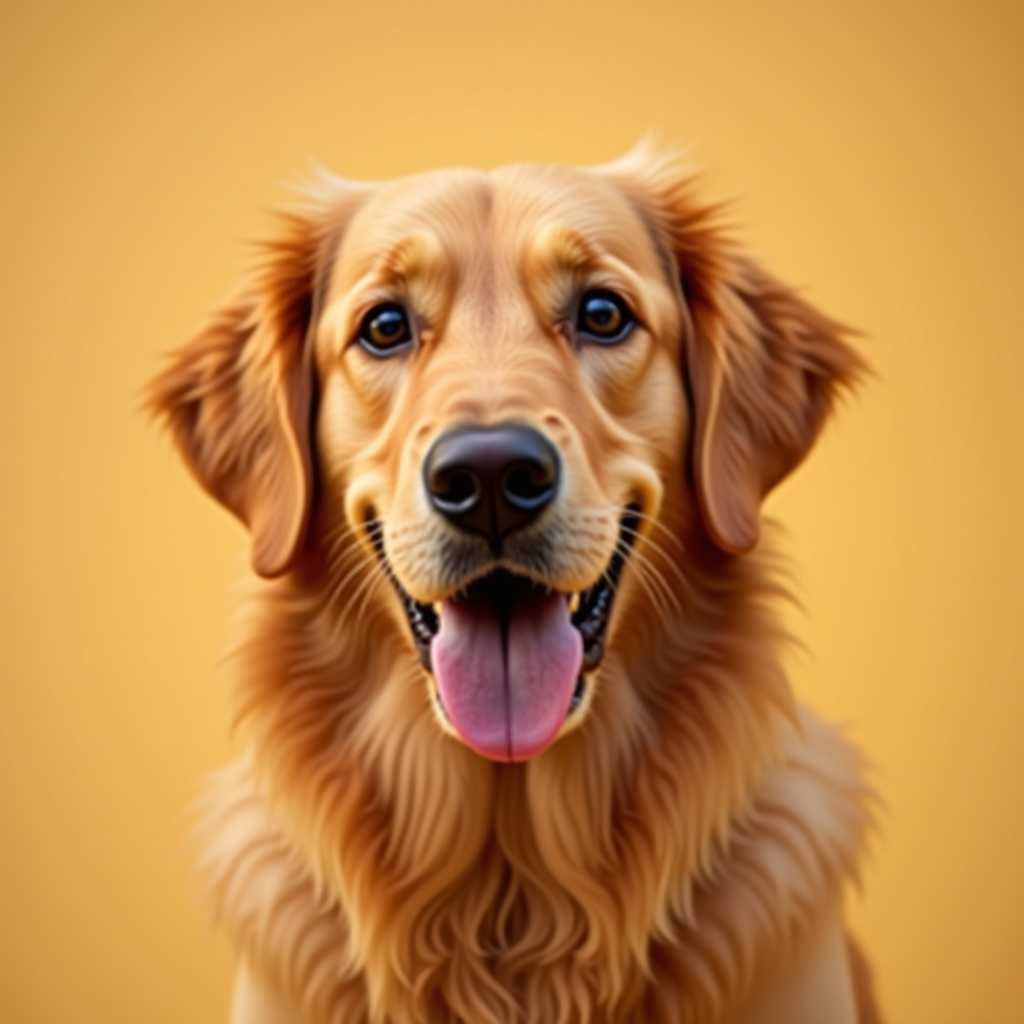
Your photo
Crochet Alpha
Pattern Generator
Draw your alpha square by square, or drop in a photo — get a single crochet chart with color counts row by row.
Free to use · No sign-up
Alpha charts read as flat color blocks — one square per single crochet stitch.
What You Get from One Photo
This is the chart ArtPatt made from the photo above: 60 × 60 crochet alpha chart in 12 colors.
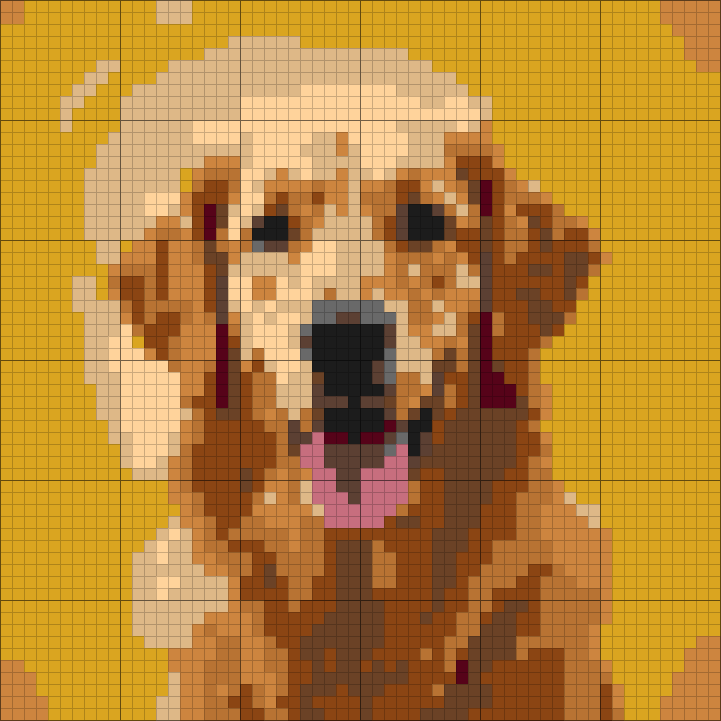
Yarn colors matched
Each color in the picture is matched to a yarn shade and listed in the legend.
Written rows, not just a grid
Every row is written out as color runs, so you can work from the list instead of counting squares.
Balls counted per color
Stitch counts are turned into how much yarn each color needs.
Color legend from this chart
- Goldenrod2 balls
- Tan1 ball
- Saddle Brown1 ball
- Copper1 ball
- Peru1 ball
- Walnut1 ball
+ 6 more colors in the full legend
From Crochet Alpha Chart to Finished Piece
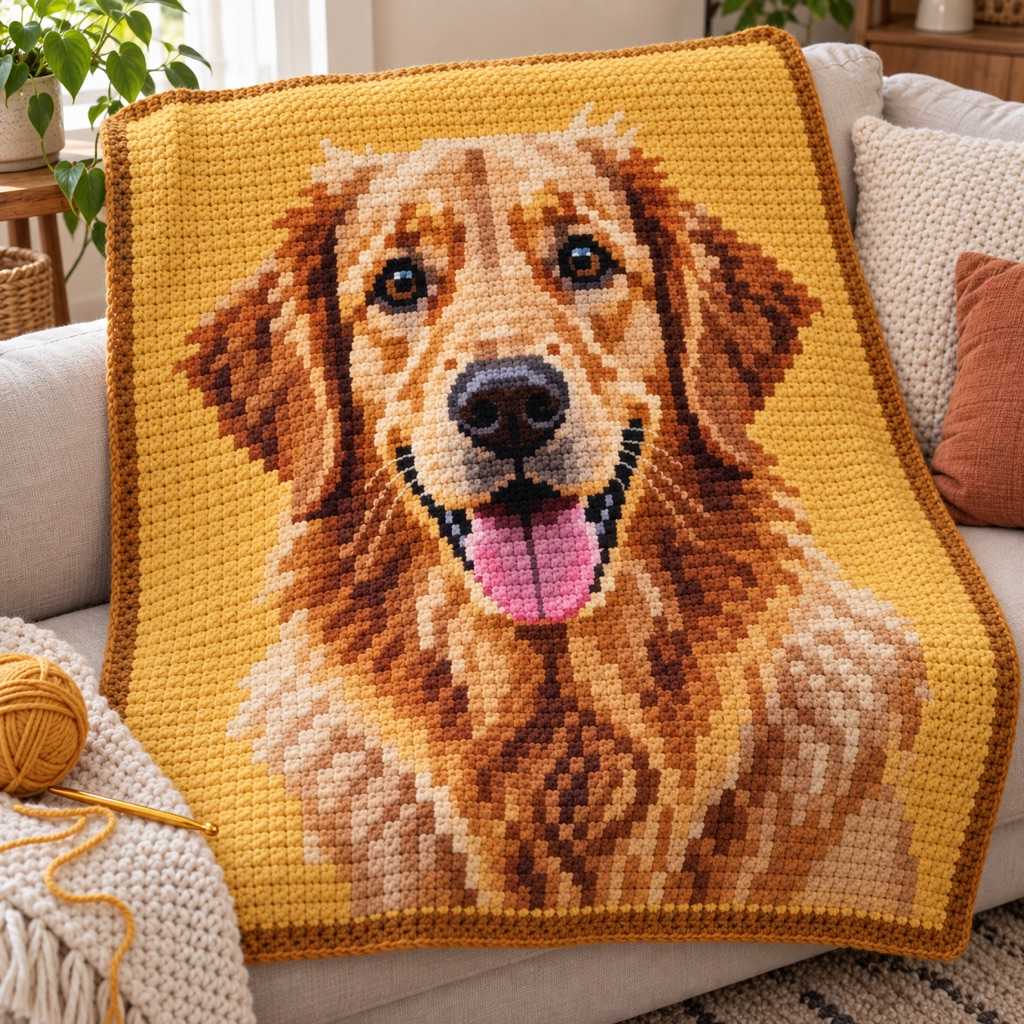
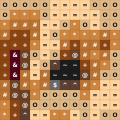
The same few squares, as they sit on the chart and as they look once worked.
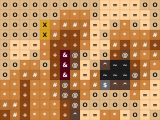
On the chart
- One square, one color, one symbol
- Rows and columns are numbered in the PDF
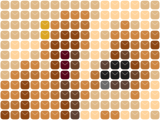
Worked in single crochet
- Each square of the chart is one stitch
- Stitches are wider than tall, and the chart is sized for that
- Carry or change colors where the chart does
Built for Alpha Charts
Alphas are drawn as often as they are converted — both paths land on the same chart.
Start From an Empty Grid
Most alphas start as an idea, not a photo. Open a blank grid at the size you want, then place squares with the pencil, flood-fill regions, and drag straight lines for borders and lettering. Undo and redo the whole way. Nothing is uploaded and no account is needed to draw.
Or Convert Any Image
Have a reference — fan art, an album cover, a photo of your dog? Drop it in and the generator maps it onto the grid, picks the palette, and hands you an editable chart. Fix anything you don't like with the same drawing tools before you export.
Written Row Instructions
Every row is spelled out as color runs — "15 white, 3 black, 12 white" — and the reading direction alternates each row, because you turn your work at the end of every row. Row 1 is the bottom of the chart, so the finished piece isn't upside down.
Clean Color Blocks
A converted photo comes out speckled: single stray squares scattered through a color field. Each one is a color change for exactly one stitch. Confetti reduction merges them into the surrounding color so the chart reads as blocks you can actually crochet.
What Makes a Good Alpha Design
Alphas live on flat, graphic shapes: bold lettering, hearts, stars, checkerboards, cherries, flames, mushrooms, smileys, characters with a heavy outline. Anything that survives being drawn in solid blocks with no shading will read at stitch resolution. Fine gradients and small text will not — a letter needs to be at least 5 squares tall before it stays legible.
Grid width is stitch count, so it sets the size directly. A phone pouch or a small bag panel is around 30–50 stitches across, a crop top panel 50–80, a wall hanging 80–120. At a common worsted-weight gauge of 16 single crochet per 10 cm, a 60-stitch panel finishes about 37 cm wide. The dimensions readout updates while you drag the slider, so you can settle the size before you buy yarn.
Color count is the other decision that matters. Alphas are worked in single crochet with the colors you aren't using carried along inside the row, so every extra color adds thickness to the fabric. Four to six colors is the comfortable range for wearables and bags; a wall hanging can carry more because nobody has to wear it.
Drawing Your Own vs Converting a Photo
Drawing is the better path when the design is already a graphic — lettering, a logo, a symbol, pixel art you're recreating. You control every square, so there is nothing to clean up afterwards, and you can build the design at exactly the stitch count you want to work.
Converting is the better path when you're starting from a picture: fan art, a portrait, a photo. The generator does the hard part — choosing a limited palette that still looks like the original and snapping it to the grid — and then you tidy the result by hand. In practice most people do both: convert, then redraw the parts that matter.
Alpha Pattern FAQ
An alpha pattern is a colorwork chart where one square equals one single crochet stitch. You work back and forth in single crochet, changing color square by square and carrying the unused colors along the row. It's how most crocheted bags, crop tops, and wall hangings with a picture or lettering on them are made.
Yes — that's the "Start drawing" button. It opens an empty grid at the size you pick with pencil, fill and line tools, so you can design the whole thing square by square. No photo, no account, nothing uploaded.
Row 1 is the bottom row of the chart. Read it right to left, then turn your work and read the next row left to right, alternating all the way up. The PDF writes each row out as color counts in working order, so you can follow the words instead of counting squares if you prefer.
Four to six is the sweet spot. Because the unused colors are carried inside the stitches, each extra one thickens the fabric — fine for a wall hanging, heavy for a top. If a converted photo comes back with too many, drop the color count and raise confetti reduction; the design usually reads better, not worse.
Grid width is your stitch count. Small bag or pouch: 30–50. Crop top or tote panel: 50–80. Wall hanging or blanket panel: 80–120. Enter your own gauge and the generator shows the finished centimetres and inches as you resize.
The grid chart itself transfers — one square is one knot instead of one stitch, and the row-by-row color counts still tell you what to make next. Everything sized in stitches and yarn here is written for crochet, so treat the bracelet use as a bonus rather than the design target.
Generating and previewing the full chart in your browser is free, and drawing on the blank grid is free. Downloading the printable PDF and the HD PNG is the paid part — a one-time unlock for a single pattern, or a subscription if you make a lot of them.
More Crochet Pattern Tools
Graphghan Pattern Generator
The same single crochet chart at blanket scale, with per-color yarn estimates.
Tapestry Crochet Pattern Generator
Colorwork bags and blankets with carry-aware yarn estimates.
C2C Crochet Pattern Generator
Corner-to-corner charts worked in DC clusters — faster, lower resolution.
Crochet Letter Pattern Generator
Type a word and get it as a crochet chart, ready to drop into your design.
Crochet Yarn Calculator
Estimate yarn yardage for any crochet project by stitch type and gauge.
Free to Try — Finished Pattern from $2.99
Create and refine 1 crochet alpha pattern free, with no account required. Upgrade for unlimited projects, PNG/PDF exports, and saved patterns.
Free
Make one pattern free every week.
- 1 free pattern project
- Blank grid with pencil, fill and line tools
- Confetti reduction for clean color blocks
- Row-by-row color counts
- Full chart preview in the browser
- No account required
Tax is added at checkout where it applies.