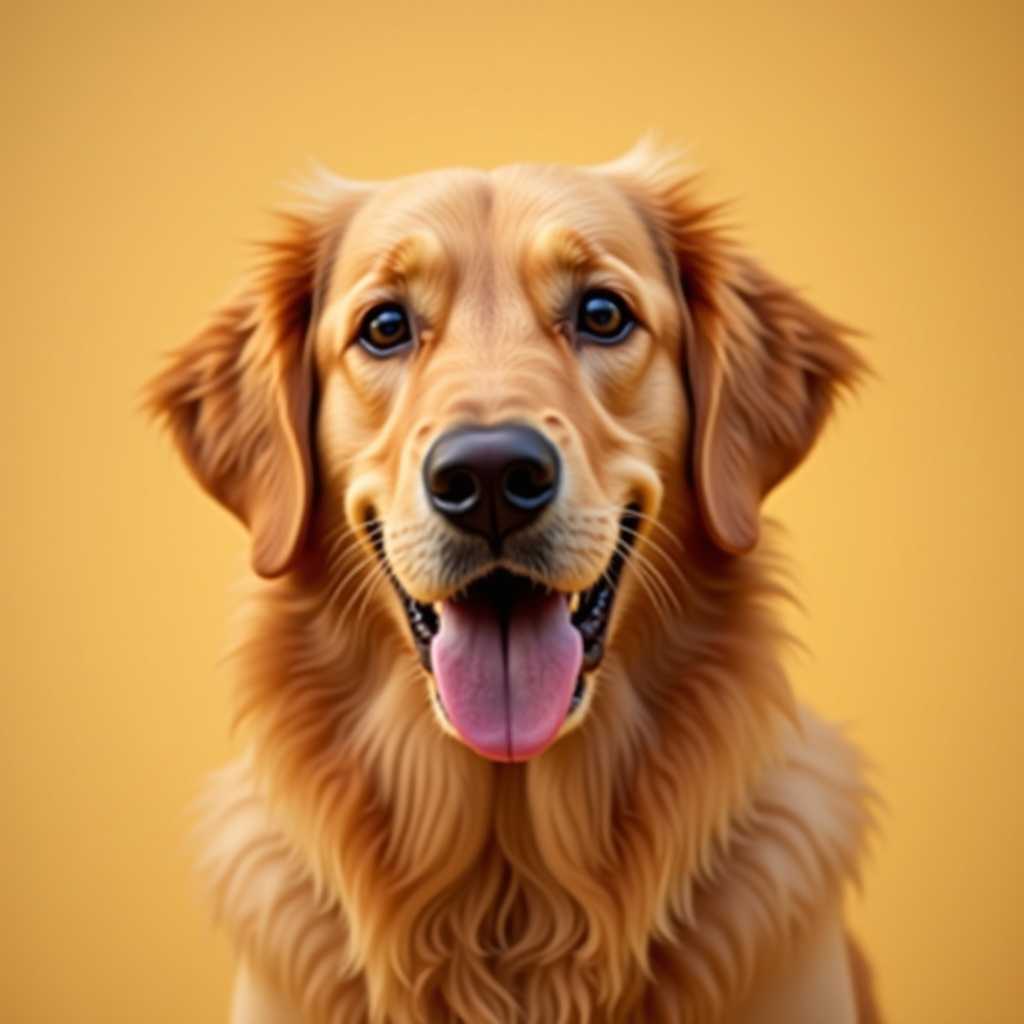
Your photo
Create Punch Needle
Patterns from Photos
Tufted loops soften edges, so photos convert well — get a punch needle chart with yarn colors that prints at actual size for tracing.
Free to use · No sign-up
What You Get from One Photo
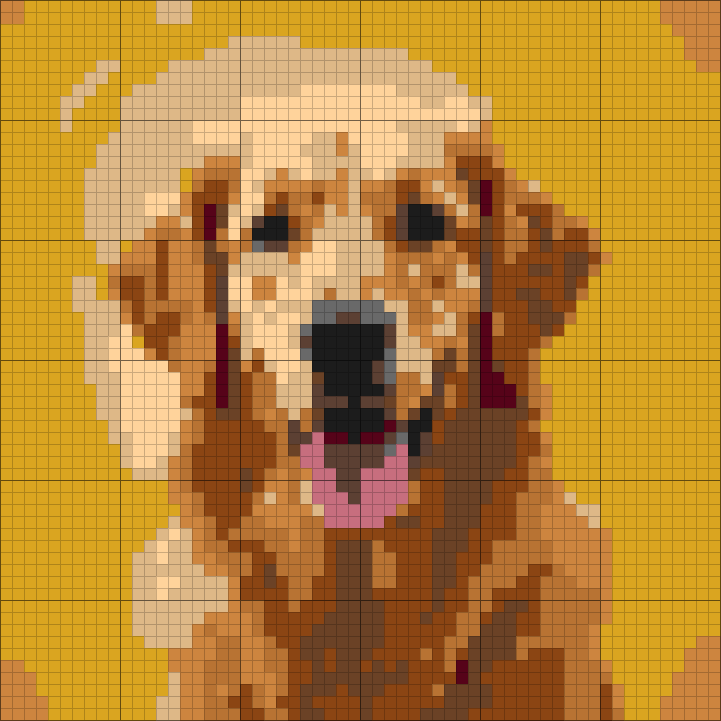
This is the chart ArtPatt made from the photo above: 60 × 60 punch needle chart in 12 colors.
Yarn colors matched
Each color in the picture is matched to a yarn shade and listed in the legend.
A chart to trace
Numbered rows and columns let you transfer the design onto the cloth square by square.
Yarn counted per color
Stitch counts are turned into how much yarn each color needs.
Color legend from this chart
- Goldenrod1 ball
- Tan1 ball
- Saddle Brown1 ball
- Copper1 ball
- Peru1 ball
- Walnut1 ball
+ 6 more colors in the full legend
From Punch Needle Chart to Finished Piece
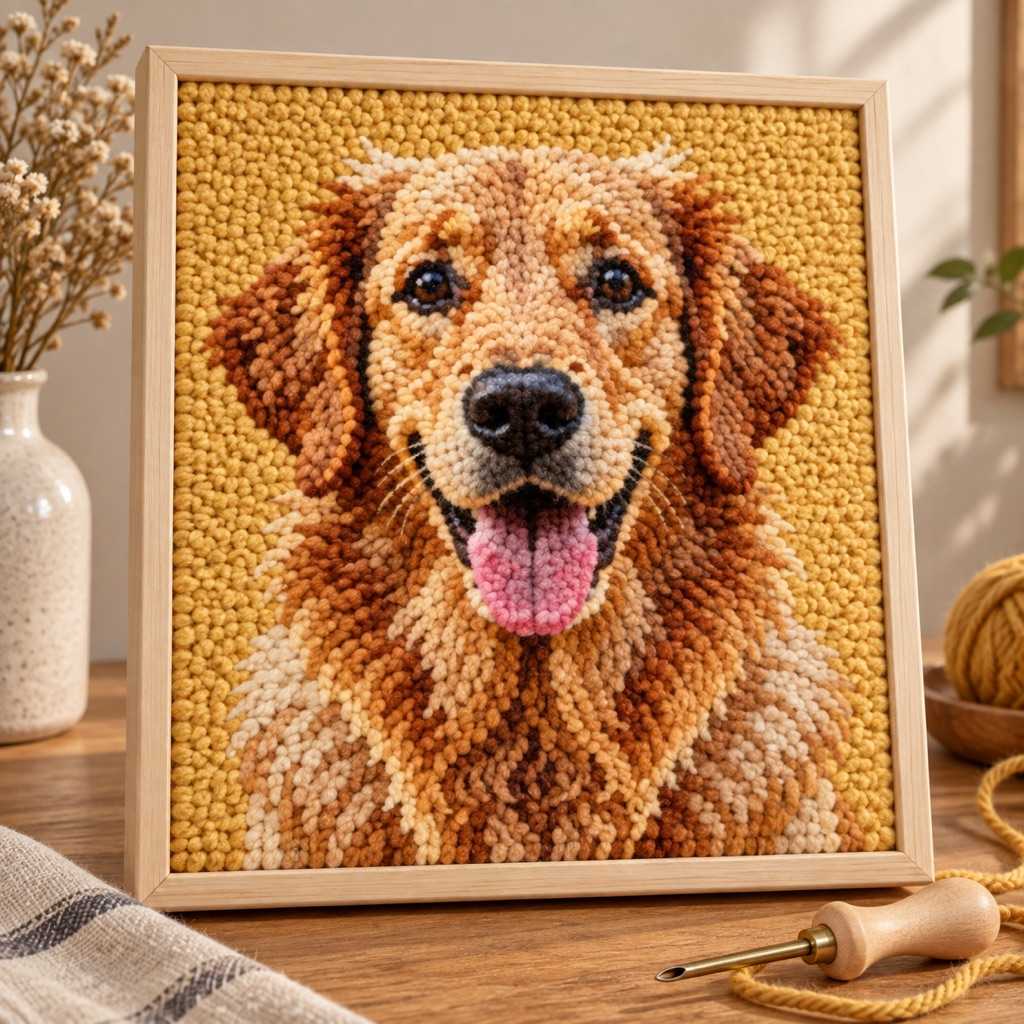
The same few squares, as they sit on the chart and as they look once worked.
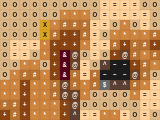
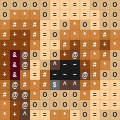
On the chart
- One square, one color, one symbol
- Rows and columns are numbered in the PDF
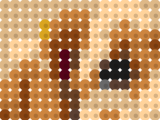
Punched in loops
- Each square of the chart is a patch of loops in one color
- The pile softens edges, so photos convert well
- Trace the chart onto monk's cloth and punch from the back
How it works
Pick a photo that looks good soft-focused
Punch needle's tufted texture blurs edges, so pet portraits, florals, bold shapes and painterly landscapes translate better than fine lines or small text. Crop tightly to the subject.
Set the grid and gauge
The gauge (loops per 10 cm) starts at 10, so each cell is 1 cm and a 40-cell-wide chart is 40 cm. 30–50 cells wide suits hoops and pillows; raise the gauge for a fine needle.
Choose colors, dithering and cleanup
Start with 12 colors or fewer, taken from your picture, or matched to the 66 Red Heart Super Saver shades. Dithering (Floyd-Steinberg, Atkinson or Burkes) adds tonal blending for photos; Medium confetti cleanup removes stray single cells.
Print, trace and punch
The preview is free. A $3.99 single unlock or Pro ($6.99/month or $39.99/year) gives the PDF, which prints at actual size: trace it onto the back of the backing cloth and punch from the back, following the color legend.
Designed for Punch Needle
The right resolution, the right colors, the right printout for tufted fiber art.
Medium-Resolution Sweet Spot
Cross stitch needs 100+ stitches for detail; macramé charts work at 20–40 knots. Punch needle sits in between: 30–50 cells wide gives a recognizable image while keeping the piece a size you can finish. Each cell is 1 cm square at the starting gauge.
Dithering = Pointillism
Floyd-Steinberg, Atkinson or Burkes dithering distributes colors in a stippled pattern. In punch needle this becomes a pointillist texture: neighbouring loops of different colors blend because the fuzzy tufts overlap. Use it for photographs, not for logos or text.
Confetti at Medium
Some scattered color adds to the textured look, so Medium cleanup (removing cells with one or fewer same-color neighbours) usually beats Heavy, which clears too much detail at 30–50 cells. The stray-cell percentage next to the setting shows how much is left.
Yarn per Color
The legend charges 6 cm of yarn per cell, adds 1 cm for every separate patch of a color and a 15% buffer, then rounds up to 170 m balls. Real use depends on loop height and how close you punch, so check the total with the punch needle yarn calculator.
Photo Colors or Red Heart Shades
Colors are taken from your picture, or matched to the 66 Red Heart Super Saver shades. Swap any color to match yarn in your stash, searching by name. The chart doesn't change with yarn weight; only the needle, loop height and gauge do.
Actual-Size Transfer Template
The PDF draws every cell at your gauge, so printed at 100% it is the tracing template, in color or as a black-and-white symbol chart. The chart is not mirrored for you. Punch needle is worked from the back, so trace the design mirrored if it has text or a direction.
Punch Needle Size, Yarn and Backing Cloth Guide
The needle sets the loop height, the yarn it can carry and the cloth it needs. These are the three presets the yarn calculator uses.
| Tool | Needles | Yarn | Loop height | Loops per cm² | Backing cloth | Best for |
|---|---|---|---|---|---|---|
| Ultra Punch (fine) | Ultra Punch, Oxford #14 Fine | 6-strand floss, pearl cotton, sock yarn (CYC 1 / UK 4-ply) | 3 mm | 16 | Weaver's cloth or tight-weave cotton | Hoop art, patches, coasters |
| Medium (#10 Oxford) | Oxford #10 Regular | Worsted / aran (CYC 4 / UK aran) | 6 mm | 8 | Monk's cloth or primitive linen | Wall hangings, pillow fronts |
| Rug (bulky) | Oxford #8 Regular | Bulky / chunky rug yarn (CYC 5–6 / UK chunky) | 13 mm | 4.5 | Monk's cloth or primitive linen | Rugs, chair pads, thick pillows |
Loop heights are Oxford's (#14 ⅛", #10 ¼", #8 ½"); the #10 and rug densities match Amy Oxford's figure of about ⅔ lb of rug yarn per square foot, and the fine density is an estimate. Fine needles also need a tight hoop: the embroidery hoop size calculator finds one that fits the design with room to grip.
Project Grid Size and Yarn Reference
Grid sizes at the generator's starting gauge of 10 cells per 10 cm, the finished size the PDF prints, and the yarn for the whole area from the yarn calculator.
| Project | Grid | Finished size | Colors | Tool | Yarn, fully punched |
|---|---|---|---|---|---|
| Coaster | 10 × 10 cells | 10 × 10 cm (3.9 × 3.9 in) | 3–4 | Ultra Punch (fine) | ~22 m |
| Hoop or wall hanging | 25 × 30 cells | 25 × 30 cm (9.8 × 11.8 in) | 6–8 | Medium (#10 Oxford) | ~124 m |
| Pillow front | 40 × 40 cells | 40 × 40 cm (15.7 × 15.7 in) | 8–12 | Medium (#10 Oxford) | ~265 m |
| Accent rug | 60 × 90 cells | 60 × 90 cm (23.6 × 35.4 in) | 4–6 | Rug (bulky) | ~894 m |
Yarn is for the whole area with a 15% buffer, from the punch needle yarn calculator, which works from loop height and loop density. Loose or tall loops use more; punch a small swatch to check yours.
Best Images for Punch Needle
Punch needle's fuzzy texture is forgiving: images that look pixelated in cross stitch look intentionally artistic when punched. The overlapping tufts soften hard cell edges, so you can use images that wouldn't work for other crafts.
Best subjects: bold abstract designs (color blocks, organic shapes), large florals (roses, sunflowers), simple landscapes (sunset gradients, mountain silhouettes), cartoon characters and simple illustrations, bold text and monograms, and pet portraits with simple backgrounds.
What to avoid: highly detailed images with tiny features, group photos (faces too small at 30–50 cells), and fine lines or text smaller than about 5 cells tall. If you squint at the image on screen and can still recognize it, it will work for punch needle.
Loops, Gauge and Finished Size
The generator's gauge is loops per 10 cm, and each chart cell prints at that size: at the starting 10, every cell is a 1 cm square on the cloth. A medium needle punches several actual loops into a square that size, which is why the yarn calculator works from loop density instead. Raise the gauge for a fine needle and a smaller, more detailed piece; lower it for a rug. The PDF prints every cell at that size, so the printed chart is the finished size.
Pile crafts are easy to confuse. Punch needle pushes a continuous strand through a woven backing from the back, leaving loops on the front; latch hook knots short pre-cut lengths onto rug canvas, one knot per square, for a shag pile (see the latch hook pattern generator); a tufting gun does the same job as punch needle with a motor on large stretched cloth, usually cut into a pile. The chart here works for punch needle and, at a lower gauge, for a tufted rug. Free, single unlock and Pro are compared on the pricing page.
Punch Needle Pattern Maker FAQ
Yes. 1 upload, generation, and full browser preview and all of its edits are free, with no account required. A $3.99 single-pattern unlock gives you the PNG and printable PDF. Pro ($6.99/month or $39.99/year) unlocks unlimited projects, every export, and every other craft generator. The free project reopens 7 days after you use it.
30–50 cells wide for most hoops and pillows. At the starting gauge of 10 cells per 10 cm each cell is 1 cm, so a 40 × 40 grid prints at 40 × 40 cm. For a smaller piece with the same detail, raise the gauge: at 20 per 10 cm the same grid prints at 20 × 20 cm. Finer needles suit higher gauges.
Print the PDF at 100% ("Actual size"), never "Fit to page": ten cells between two thick lines should measure what the PDF says. Then 1) place the print under monk's cloth or weaver's cloth and trace the color boundaries with a washable marker, 2) use a lightbox or bright window for better visibility, or 3) count grid squares onto the cloth from the symbol chart. You punch from the back, so the design appears mirrored on the loop side.
Yes for photographs. Floyd-Steinberg, Atkinson or Burkes dithering gives a stippled mix of colors that turns into a pointillist texture when punched, because neighbouring tufts overlap. Leave it off for geometric designs and text, which need clean boundaries.
The legend estimates each color at 6 cm per cell, plus 1 cm for every separate patch and a 15% buffer, rounded up to 170 m balls. Real use depends on loop height and how close you punch, and a medium needle puts several loops into each 1 cm cell, so check the total with the punch needle yarn calculator, which works from loop height and density, and buy by the larger figure.
Ultra Punch (fine), Ultra Punch, Oxford #14 Fine: 6-strand floss, pearl cotton, sock yarn (CYC 1 / UK 4-ply), about 3 mm loops on weaver's cloth or tight-weave cotton. Medium (#10 Oxford), Oxford #10 Regular: Worsted / aran (CYC 4 / UK aran), about 6 mm loops on monk's cloth or primitive linen. Rug (bulky), Oxford #8 Regular: Bulky / chunky rug yarn (CYC 5–6 / UK chunky), about 13 mm loops, for rugs. Use the needle maker's recommended cloth: a yarn too thick for the needle snags, and one too thin pulls out.
The generator starts at 12; 3–4 suits a coaster, 6–12 a wall hanging or pillow, and 4–6 bold colors a rug. Punch needle looks best with a limited palette, since too many colors compete with the texture; dithering adds tonal variation without adding yarns.
They use the same chart. Loop: Punch with the tool's beveled edge facing the direction you're moving and leave loops uncut on the front for a raised pile — the standard punch needle look. Flat: Punch the same chart, then trim the loops on the front flush with the backing for a smoother, lower-pile surface — used for fine detail areas like faces.
Punch needle pushes one continuous strand through woven cloth from the back with a hand tool, making loops on the front. Latch hook knots short pre-cut pieces onto rug canvas, one per square, for a shaggy pile. A tufting gun is a motorised version of punch needle for large rugs on stretched cloth, and its loops are often cut. ArtPatt has a separate latch hook generator; this chart works for punch needle and, at a lower gauge, for tufting.
Punch the loops close enough that they hold each other, then coat the back with fabric glue or latex rug backing so they cannot pull out. Trim the cloth to leave a 2–3 cm border, fold it over the back and glue or stitch it down, then mount it in a hoop, stretch it over a frame or sew it into a pillow. For rugs, add a rug backing and a non-slip pad.
Explore More Punch Needle Pages
Punch Needle Yarn Calculator
Yarn for a piece from loop height, loop density and skein size.
Latch Hook Pattern Generator
The other pile craft — pre-cut yarn knotted onto rug canvas, one knot per grid square.
Embroidery Hoop Size Calculator
The hoop a design fits, with room to grip.
Macrame Pattern Generator
Another bold, low-resolution fiber art workflow for wall pieces and decorative projects.
How to Start Punch Needle
Tools, yarn, a first project and the common mistakes, for beginners.
ArtPatt Pricing
Free, single unlock and Pro compared.