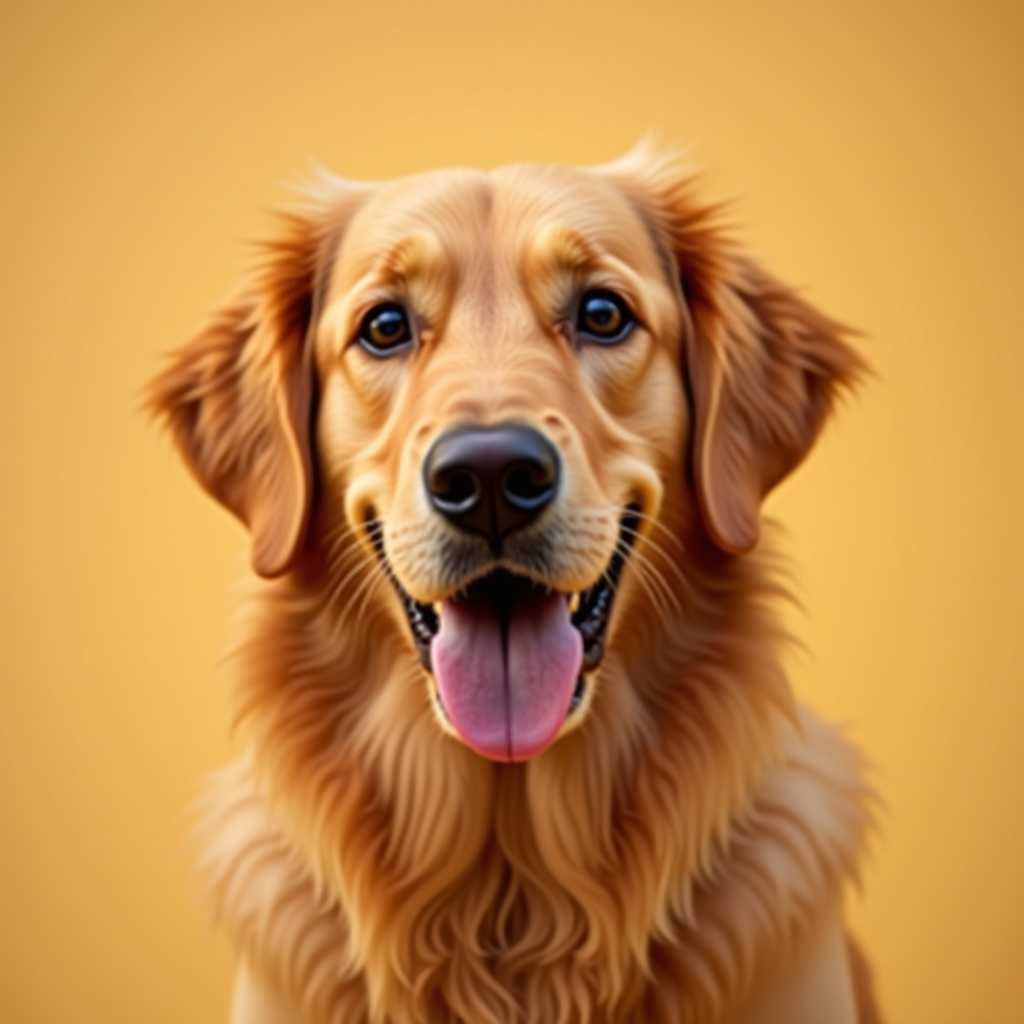
Your photo
Knitting Pattern Generator
Turn Any Photo into a Colorwork Chart
A knitting chart maker that knows a stitch isn't a pixel — right proportions for stockinette, garter and Fair Isle.
Free to use · No sign-up
What You Get from One Photo
This is the chart ArtPatt made from the photo above: 60 × 60 knitting chart in 10 colors.
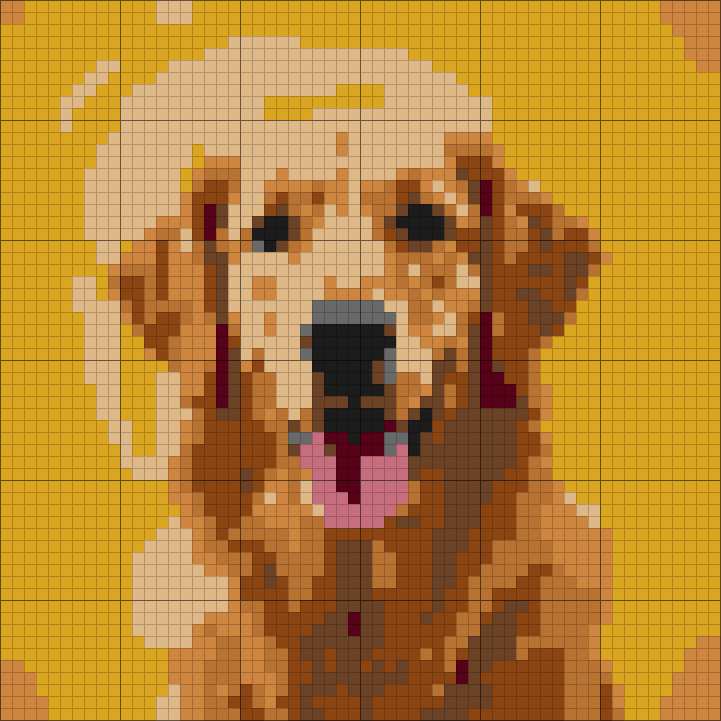
Yarn colors matched
Each color in the picture is matched to a yarn shade and listed in the legend.
Written rows, not just a grid
Every row is written out as color runs, so you can work from the list instead of counting squares.
Balls counted per color
Stitch counts are turned into how much yarn each color needs.
Color legend from this chart
- Goldenrod1 ball
- Tan1 ball
- Saddle Brown1 ball
- Copper1 ball
- Peru1 ball
- Walnut1 ball
+ 4 more colors in the full legend
From Knitting Chart to Finished Piece
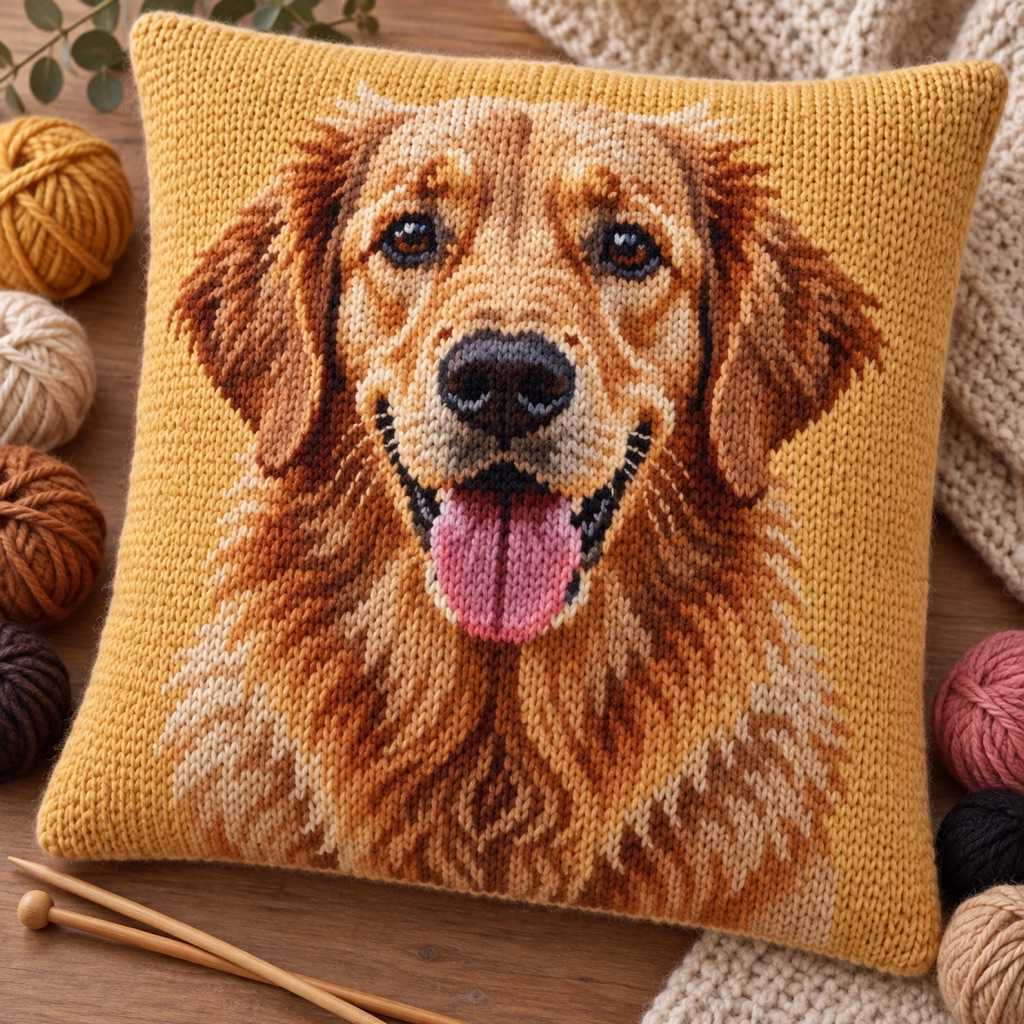
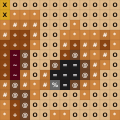
The same few squares, as they sit on the chart and as they look once worked.
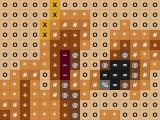
On the chart
- One square, one color, one symbol
- Rows and columns are numbered in the PDF
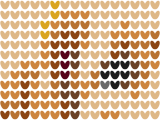
Knitted in stockinette
- Each square of the chart is one V-shaped stitch
- Knit stitches are wider than tall, and the chart accounts for it
- Read right-side rows right to left
How it works
Upload Image
Any photo — geometric designs, pet portraits, landscapes, logos. Clear subjects with distinct colors work best for colorwork.
Set Stitch & Gauge
Stockinette, garter, or Fair Isle. Enter your gauge (stitches per 10cm from a swatch). Dimensions update instantly.
Optimize for Knitting
5-8 colors for Fair Isle (max 2 per row). Heavy confetti to eliminate single-stitch floats. Dithering for heathered effects.
Download Chart
PDF with yarn legend and quantities per color. Grid reads bottom-up with row numbers for tracking progress.
Built for Knitting Colorwork
Not a cross-stitch tool rebranded — genuinely designed for how knitting works.
Stitch Ratio Correction
A stockinette stitch is wider than it is tall — a typical gauge of 22 stitches to 30 rows per 10cm means roughly 1.3 rows for every stitch of width. Use a square-pixel pattern and the knitted result comes out vertically squashed. We add the extra rows so the finished piece matches the original — tested with DK and worsted weight at standard gauge.
Fair Isle Dithering
Floyd-Steinberg error diffusion creates alternating color patterns that follow the natural 2-color-per-row rhythm of stranded knitting. The result: a beautiful heathered effect, like marl or tweed, that actually makes patterns easier to knit than solid blocks.
Float-Friendly Confetti Filter
In stranded knitting, long floats are a problem but single-stitch color changes are worse — they create tiny loops that catch fingers. Heavy confetti reduction ensures minimum 3-stitch runs of each color, keeping floats manageable and fabric smooth.
Stitch-Type Yarn Calc
Stockinette: 3.5cm/stitch. Fair Isle: 4.5cm (30% more for floats). Garter: 3.8cm. We calculate per color with fragmentation overhead. Fair Isle yarn estimates account for carried strands — something no other free tool does.
Gauge-Based Sizing
Enter your swatch gauge in stitches per 10cm. The dimension display shows exact finished width and height in cm and inches. A 100-stitch chart at 20 st/10cm = 50cm wide. Plan your project size before committing to a chart.
Color Management
120+ yarn colors. Click to swap any color — search by name to match your stash. Color warnings alert when two colors are too similar to distinguish on fabric (CIEDE2000 distance <5). Reduce frustration, reduce wasted yarn.
Fair Isle, Intarsia, and Duplicate Stitch
Fair Isle (stranded colorwork): Carry 2 colors across each row. Traditional limit: 2 colors per row, 5-8 total. ArtPatt's dithering creates patterns that naturally alternate between 2 colors, producing the rhythmic color changes that make Fair Isle efficient. Heavy confetti ensures no single-stitch floats.
Intarsia: Use separate yarn bobbins for each color block. Handles 10-20 colors for large solid areas — portraits, large motifs. Use Medium confetti (intarsia handles color changes better than stranded). ArtPatt's chart works for intarsia as-is: each cell = one stitch, each color = one bobbin.
Duplicate stitch: Embroider on top of finished stockinette using a tapestry needle. Any chart works, unlimited colors. Great for adding small details (eyes, small motifs) after knitting a simpler base. No yarn estimates needed — just buy small amounts of each color.
ArtPatt vs Other Knitting Pattern Generators
StitchFiddle: No stitch ratio compensation, no dithering, limited free tier. KnitPro: Basic image conversion, no confetti filter, no yarn estimates. Knit Foundry ($185): Abandoned, doesn't work on modern OS.
ArtPatt: Free, correct stitch ratios (3 stitch types), Fair Isle dithering, 4-level confetti filter, per-color yarn estimates with float-aware calculation, gauge-based sizing, a 120-color database with one-click swapping, and a browser knitting chart editor (pencil, fill, line, rectangle, ellipse, text, symmetry, 30-step undo) for adjusting the chart after conversion.
Knitting Chart Maker: Draw Your Own Chart
No photo to start from? Choose "Draw on a blank grid" in the generator and you get an empty knitting chart at the size you set, with the same editor: pencil, fill, line, rectangle, ellipse, text and mirror symmetry, plus a yarn palette to pick colors from. It suits motifs you plan stitch by stitch — a name for a stocking, a border repeat, a small Fair Isle band.
The grid uses knitting stitch proportions rather than squares, because a knit stitch is wider than it is tall. A heart drawn square on graph paper comes out squat once knitted; drawn on this grid it keeps its shape. Width and height update from your gauge as you go, and the finished chart prints with a legend and per-color yarn amounts like a converted photo does.
Choosing a Photo That Still Reads Once It Is Knitted
Knitting charts are not just image grids. Stitch shape decides how the finished motif reads, which is why a square grid borrowed from another craft looks wrong the moment it comes off the needles. Start from images with obvious shapes: logos, motifs, animal silhouettes, pet portraits on plain backgrounds, and abstract graphics all survive the low resolution of colorwork. Subjects that depend on tiny detail need either a much larger chart or duplicate stitch added after the main fabric is finished.
Decide the technique before the color count, not after. A palette that is comfortable in intarsia — large separate blocks, one bobbin each — becomes a float problem in Fair Isle, where each row wants to stay near two colors. Picking the method first tells you how much color the image is allowed to keep.
Gauge then turns the chart into an object. The same 100-stitch-wide chart is a cushion front, a sweater panel, or a blanket motif depending on yarn weight and needle size, so plan from a swatch rather than from guesswork. 80–120 stitches wide suits sweater fronts; 100–150 suits blankets.
To match needles to your yarn before that swatch, the knitting needle size chart lists every US, UK and metric size from 1.5 to 25 mm with the yarn weight it suits.
Knitting Pattern Generator FAQ
Yes. 1 upload, generation, and full browser preview and all of its edits are free, with no account required. A $2.99 single-pattern unlock gives you the PNG and printable PDF. Pro ($6.99/month or $39.99/year) unlocks unlimited projects, every export, and every other craft generator.
They treat stitches as square pixels. A stockinette stitch is wider than it is tall, so a square chart knits up vertically squashed — a circle becomes a flattened oval, a face becomes short and broad. ArtPatt adds rows (about 1.3 per stitch of width) to compensate, so the finished knitted piece matches the original proportions.
Traditional Fair Isle: 2 colors per row, 5-8 total. Use Heavy confetti to ensure minimum 3-stitch color runs (prevents tiny floats that catch fingers). ArtPatt's dithering naturally creates 2-color alternation patterns ideal for stranded knitting.
Floyd-Steinberg dithering distributes colors in a stippled pattern. In knitting, this creates a heathered/marl effect where adjacent stitches alternate colors — similar to knitting with two colors held together. It looks beautiful in Fair Isle and produces patterns that follow the 2-color-per-row rule naturally.
Stockinette: 3.5cm/stitch. Fair Isle: 4.5cm/stitch (30% more for carried floats on the back). Garter: 3.8cm. Each color calculated separately with fragmentation overhead (scattered colors waste more) + 15% buffer. Round up and buy one extra ball of your main color.
Knit a 10×10cm swatch in your chosen yarn and needle size. Count stitches across 10cm. Enter that number (e.g., 20 for DK weight, 16 for worsted). ArtPatt calculates finished dimensions: 100 stitches at 20 st/10cm = 50cm wide.
Yes. Intarsia uses separate bobbins per color block. Use 10-20 colors for large areas, Medium confetti. The chart is the same format — each cell = one stitch, each color = one bobbin. Yarn estimates work for intarsia since each stitch uses the same amount regardless of technique.
Yes — the preview switches into a knitting chart editor. Pencil, eraser, and fill (exact, close, or broad tolerance) change individual stitches; straight line, rectangle, filled rectangle, and ellipse handle motifs and borders; the eyedropper picks up a yarn already in the chart, and a text tool stamps lettering into the grid. Brush size, horizontal symmetry — useful for mirrored Fair Isle motifs — and up to 30 steps of undo/redo are available while editing. It runs in the browser with no account and no install, so you can clean up floats or redraw a motif before exporting.
Yes — the output is a standard knitting chart: a grid read bottom-up with row numbers, one cell per stitch, one symbol/color per yarn. You can start from any image, or use it purely as a chart maker for colorwork motifs. The PDF export includes the grid, a yarn legend, and per-color quantities.
Knitting graph paper is the empty grid, drawn with stitch-shaped cells that are wider than tall so a design keeps its proportions once knitted. A knitting chart is that grid filled in: one cell per stitch, colored or marked, with row numbers read from the bottom up. To sketch by hand, print blank knitting graph paper for your gauge; to get a finished chart from a picture, use the generator above.
Explore More Knitting Generators
Photo to Knitting Pattern Converter
Step-by-step walkthrough for turning a photo or picture into a knitting chart with yarn estimates.
Intarsia Knitting Pattern Generator
Optimized for intarsia colorwork with per-bobbin yarn estimates and color-block optimization.
Crochet Pattern Generator
Convert photos to crochet charts with stitch ratio compensation, confetti reduction, and yarn estimates.
Knitting Graph Paper
Printable blank knitting charts with stitch-shaped cells for your gauge.
Knitting Price Calculator
Price a finished knit from yarn, hours and your hourly rate.
Tapestry vs Intarsia vs Fair Isle
Which colorwork technique suits your picture, compared side by side.