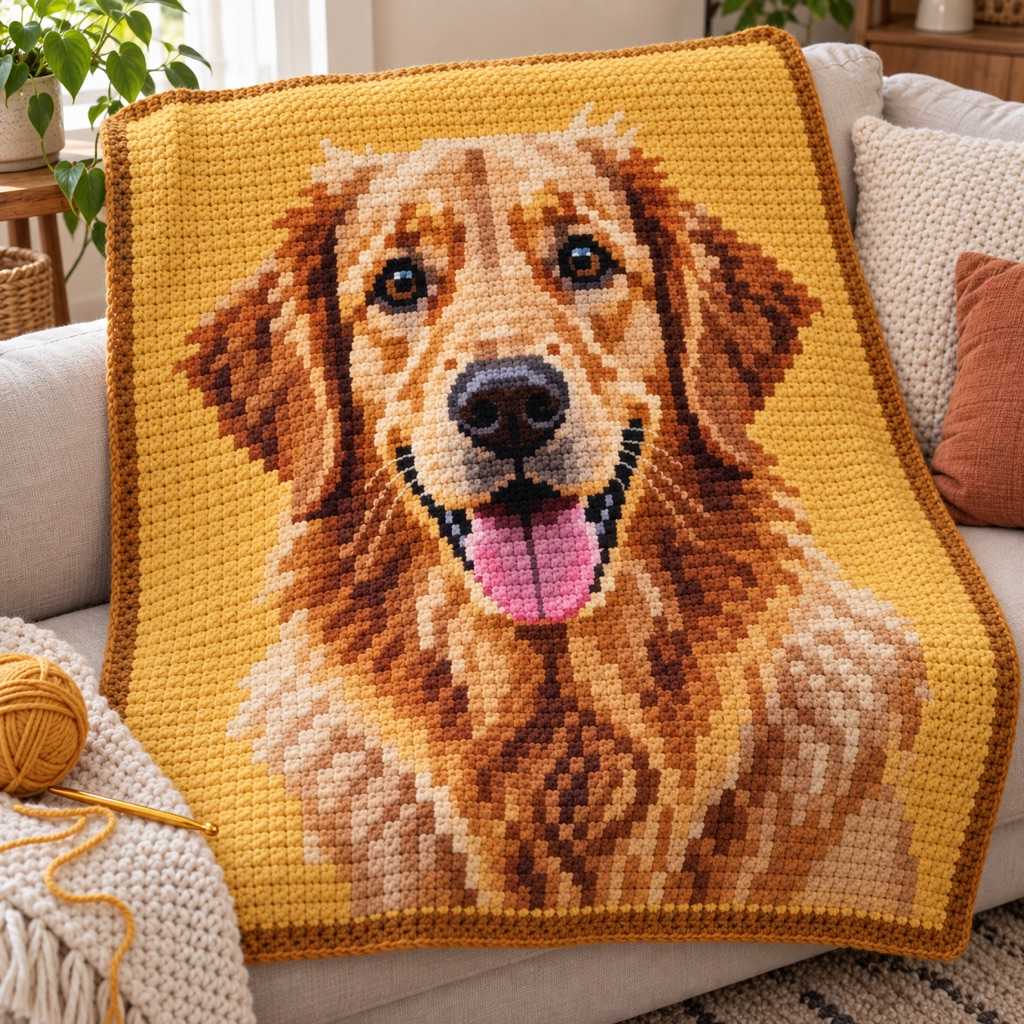
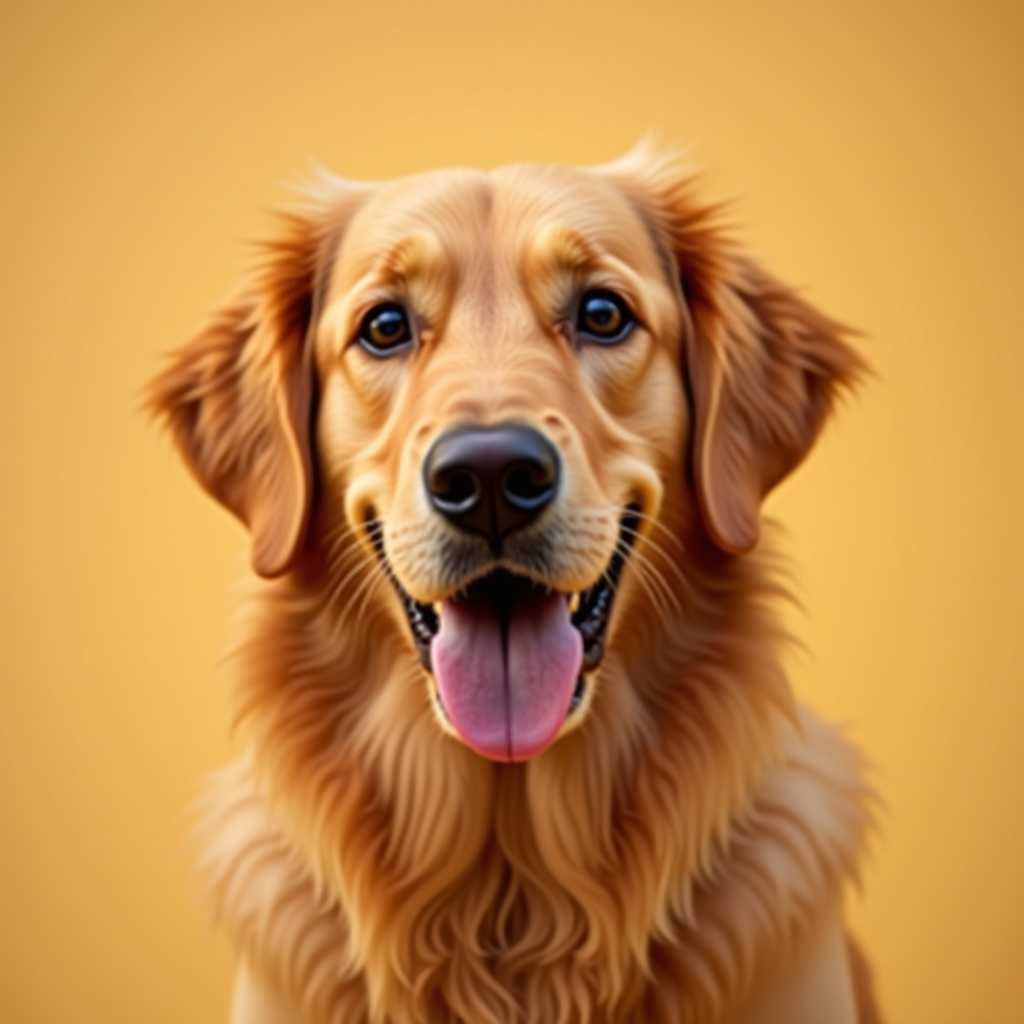
Your photo
Turn Your Pet Photo Into a
Craft Pattern
Any pet photo becomes a crochet blanket, cross-stitch, embroidery or diamond painting pattern — free, no account.
Free to use · No sign-up
Pet portrait previews preserve face shape, fur contrast, and readable color zones.
Turn Your Pet Photo Into a
Craft Pattern
Any pet photo becomes a crochet blanket, cross-stitch, embroidery or diamond painting pattern — free, no account.
Free to use · No sign-up
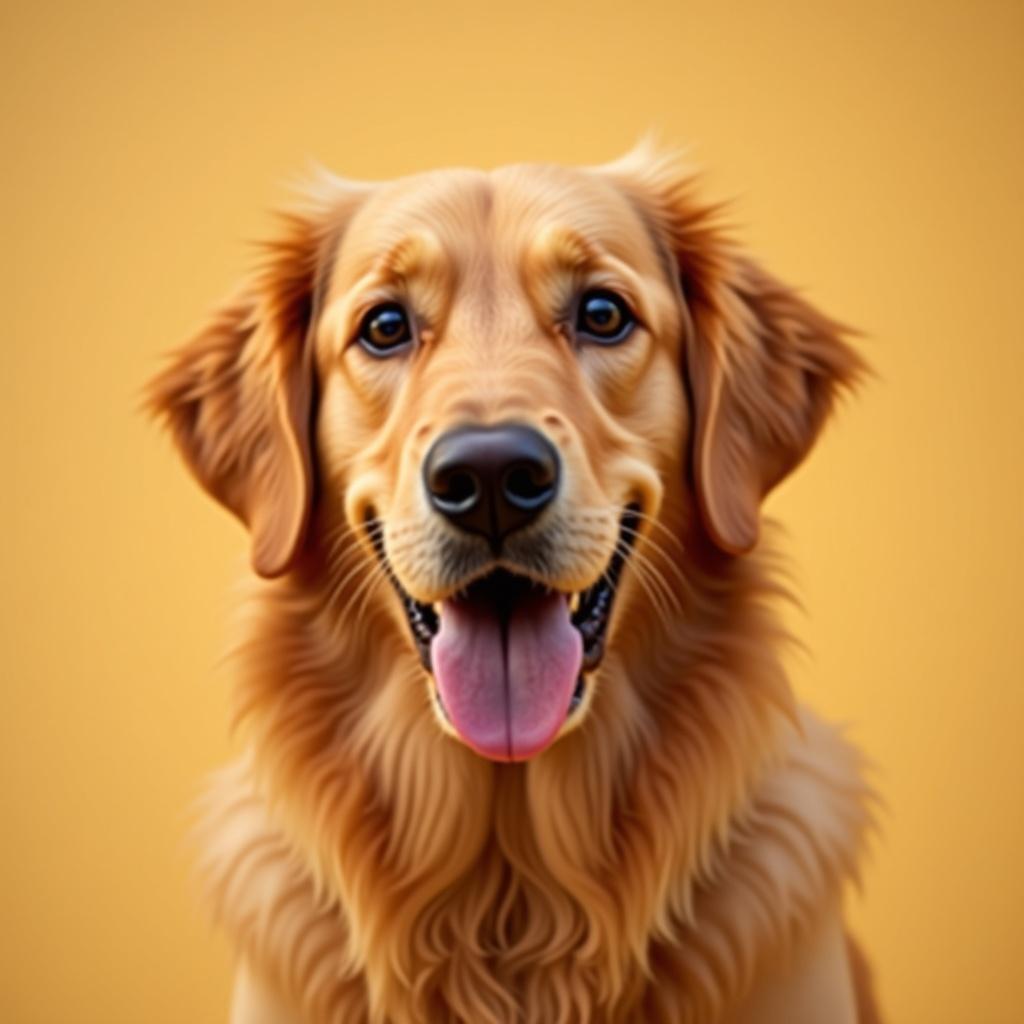
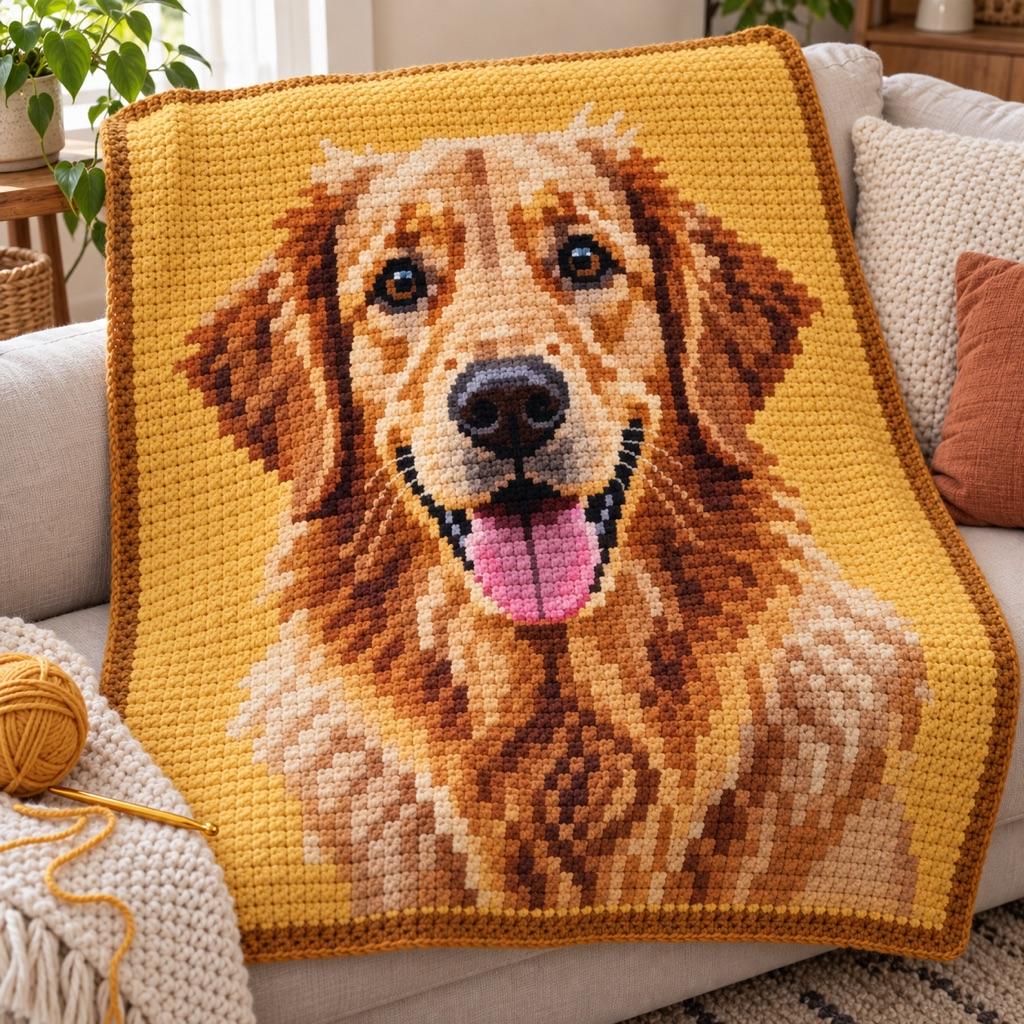
What You Get from One Photo
This is the chart ArtPatt made from the photo above: 60 × 60 crochet chart in 12 colors.
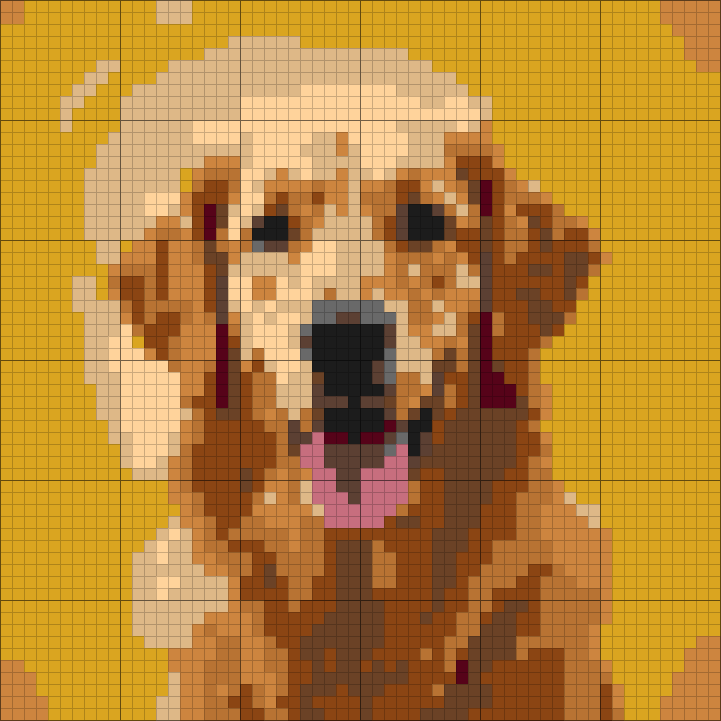
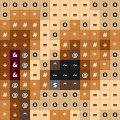
Yarn colors matched
Each color in the picture is matched to a yarn shade and listed in the legend.
Written rows, not just a grid
Every row is written out as color runs, so you can work from the list instead of counting squares.
Balls counted per color
Stitch counts are turned into how much yarn each color needs.
Color legend from this chart
- Goldenrod2 balls
- Tan1 ball
- Saddle Brown1 ball
- Copper1 ball
- Peru1 ball
- Walnut1 ball
+ 6 more colors in the full legend
From Crochet Chart to Finished Piece
The same few squares, as they sit on the chart and as they look once worked.
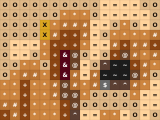
On the chart
- One square, one color, one symbol
- Rows and columns are numbered in the PDF
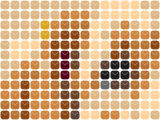
Worked in single crochet
- Each square of the chart is one stitch
- Stitches are wider than tall, and the chart is sized for that
- Carry or change colors where the chart does
How it works
Choose Your Craft
Select crochet for a blanket or graphghan, cross-stitch for a framed portrait, embroidery for a hoop piece, or diamond painting for a glittery wall art. Each craft uses the correct aspect ratio and color system for that medium.
Upload a Close-Up Photo
Best results: face shot with the pet looking at camera, plain background, good lighting. Crop tightly to the face. If the photo is dark, use the brightness/contrast sliders in the generator before hitting Generate.
Set Colors and Grid Size
12-16 colors for crochet, 15-25 for cross-stitch, 20-35 for diamond painting. Grid size: 60-80 stitches wide for a framed cross-stitch, 100-160 for a crochet blanket. The preview updates instantly as you adjust.
Preview and unlock the chart
Free: full browser preview. Pro ($6.99/month or $39.99/year): HD PNG + PDF with color legend, supply quantities per color, and numbered grid pages for easy stitching.
Why ArtPatt for Pet Portraits
Pet fur is one of the hardest subjects to render accurately — these features make the difference.
CIEDE2000 Color Matching
Pet portraits have subtle fur gradients — warm browns, cool greys, and cream tones that simple RGB matching confuses. ArtPatt uses CIEDE2000 perceptual matching to handle brown-to-tan gradations, near-black distinctions, and warm/cool grey separation more accurately.
Confetti Reduction
Portrait photos produce noisy patterns with thousands of isolated single-stitch color changes — one brown stitch surrounded by cream stitches on every side. Each one is a separate color change you'd have to execute. Medium confetti reduction merges these isolated pixels with surrounding colors while preserving all the important facial features and fur texture.
Brightness and Contrast Adjustment
Dark pets on dark backgrounds — black labs, dark tabby cats — are the hardest to photograph well. Use the brightness slider (+15-25 for dark photos) and contrast slider (+20-30) before generating. This tells the color algorithm to differentiate within the dark fur range instead of treating everything as one color.
Any Craft Type
Choose the craft that matches your skill level and intended use. Cross-stitch: the highest detail per square centimeter — perfect for a framed portrait. Crochet: dramatic blanket-size portrait, great gift. Diamond painting: accessible and impressive, no stitching skill needed. Embroidery: beautiful with backstitch outlines for facial features.
Correct Stitch Ratios Per Craft
Every craft has different stitch proportions — stockinette knitting runs about 1.3 rows to a stitch of width, cross-stitch on 14-count Aida is nearly square. ArtPatt applies the right ratio for each craft type so your pet's face has correct proportions, not a stretched or squashed version.
Instant Regeneration
Don't like the color choices? Adjust a slider and regenerate in seconds. Try 12 colors, then 18, then 15. Adjust brightness up, contrast up. Swap one muddy brown for a cleaner yarn color you have at home. The fast preview loop lets you iterate until the portrait looks right before downloading.
Which Craft is Best for Your Pet Portrait?
Cross-stitch on 14-count Aida gives you 14 stitches per inch — at 70×70 stitches, that's a 5×5 inch (12×12cm) portrait with 4,900 cells of color information. Fine detail like whiskers, individual fur hairs, and eye highlights render beautifully at this resolution. It's the most time-intensive option but produces the most realistic result. Pair with DMC backstitch lines (auto-detected in ArtPatt) around the eyes, nose, and fur edges for a professional finish.
Crochet SC graphghan: at 16 stitches per 10cm, a 100-stitch wide portrait = 62cm (25in) wide. That's a pillow cover or lap blanket sized piece. The larger scale means less fine detail than cross-stitch but more visual impact. Best for bold portraits — a golden retriever's face, a tuxedo cat, a horse head silhouette. The confetti reduction is critical for crochet: without it, fur texture becomes a nightmare of 1-stitch color changes.
Diamond painting: each drill covers roughly 2.5mm. At 40×40cm canvas, you get about 160×160 drills — 25,600 cells. Comparable resolution to a 100-stitch crochet piece but much faster to complete (place drills vs stitch individually). Best starter project for non-crafters who want a custom pet portrait without learning a new skill. The adhesive canvas does all the work.
Tips for the Best Pet Portrait Results
Photo selection is 80% of the result. Use a photo taken in daylight near a window (not a flash photo — flash creates harsh shadows and washes out fur texture). The pet should be looking toward the camera with both eyes visible. Background should be plain or blurred out. Crop to show just the head and maybe shoulders — you want the face to fill most of the grid.
For dark pets (black dogs, dark grey cats): boost brightness to +20-25 and contrast to +25-30 before generating. This separates the dark fur tones that would otherwise all map to one or two colors. Increase color count to 15-18 even for simple designs — dark fur has more subtle tonal variation than it appears. For white pets (white cats, light golden retrievers): reduce saturation slightly and use fewer colors (8-12) since light fur has less color variation to capture.
Pet Portrait Pattern FAQ
Choose Your Craft
Amigurumi Pattern Generator
See your pet as a crochet plush visual — great for commissions and mockups.
Photo to Amigurumi Guide
Pet photo tips, cropping, and when to use plush previews vs flat charts.
Crochet Pattern Generator
SC, HDC, DC — SC ratio correction, confetti reduction, yarn estimates. Best for blankets and graphghans.
Cross-Stitch Pattern Generator
489 DMC colors, CIEDE2000 matching, automatic backstitch lines. Best for framed portraits.
Embroidery Pattern Generator
DMC thread matching with backstitch edge detection for painterly embroidery portraits.
Diamond Painting Pattern Generator
Round and square drill patterns with accurate drill count and color estimates.
Graphghan Pattern Generator
Large-scale SC crochet blanket portraits with stitch ratio correction and per-color yarn estimates.