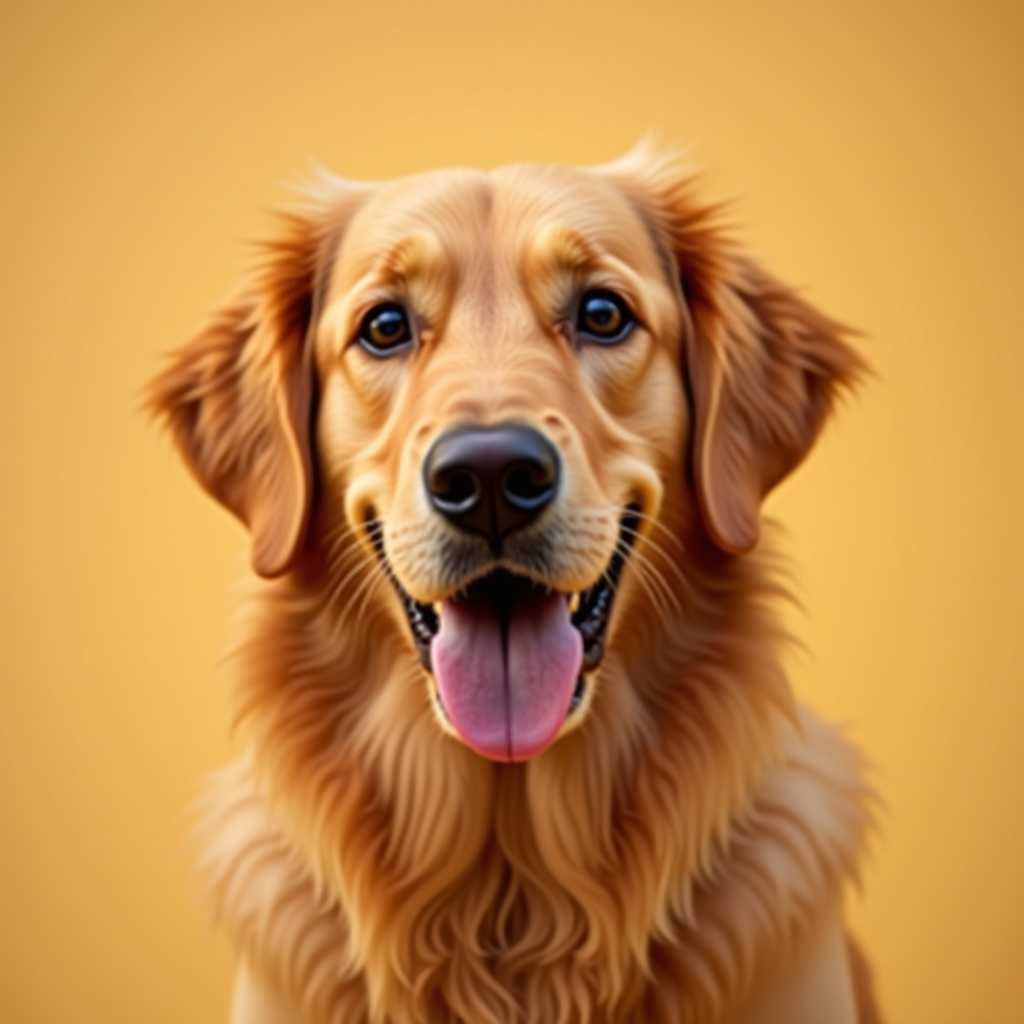
Your photo
Turn Any Photo Into an
Amigurumi
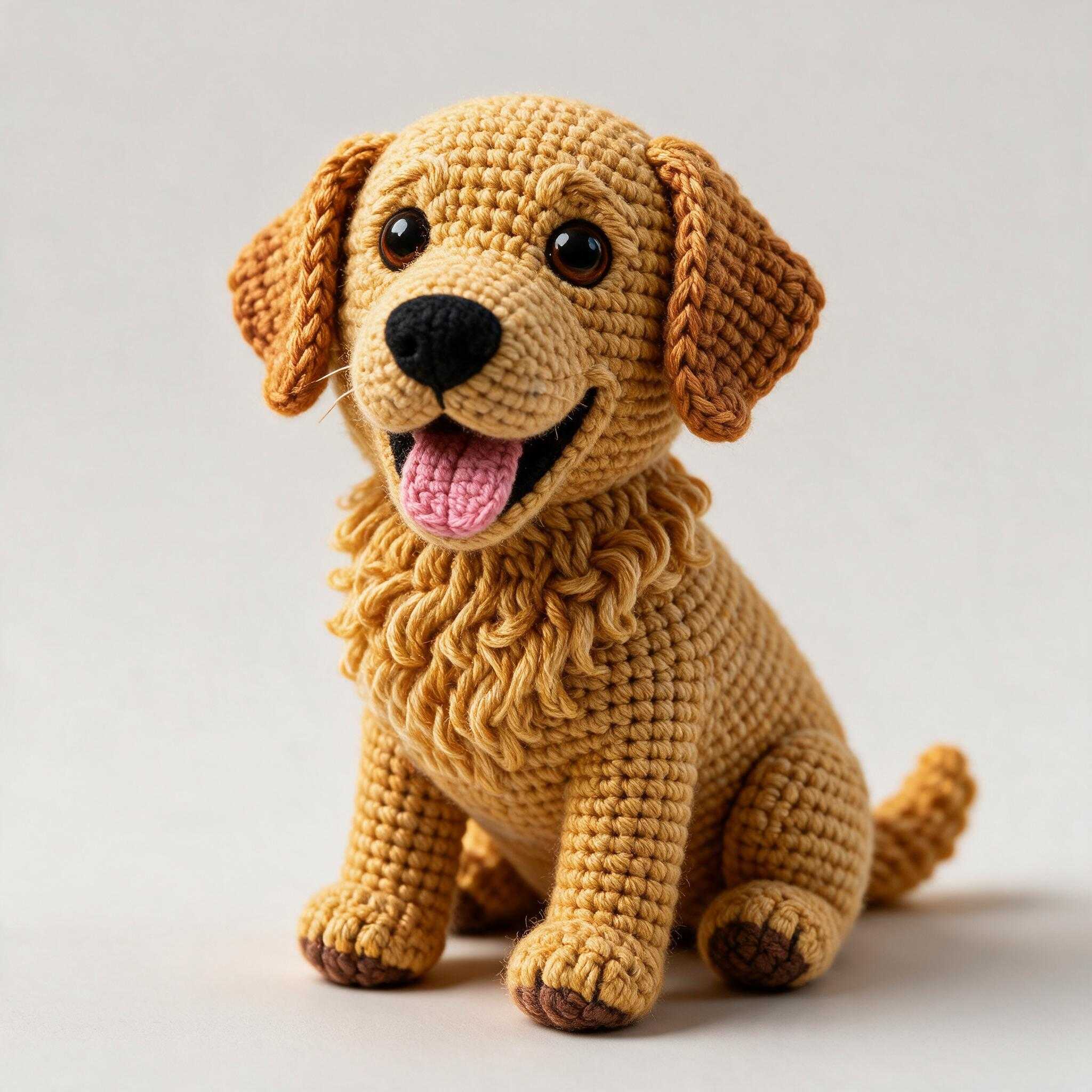
See how a portrait, pet, or character could look as a handmade crochet plush.
Free to use · No sign-up
Crochet plush — same character, yarn texture and studio lighting.
How it works
Open the generator
Upload a photo and crop around your subject. Your upload is kept while you sign up.
Create a free account
Your first amigurumi pattern is free with an account. Sign-up brings you back with your photo still loaded.
Pick size & generate
Choose small, medium, or large proportions. ArtPatt renders a crochet plush in about 15–40 seconds.
Compare & download
Use the before/after slider, tune part sizes, then download a draft pattern PDF with round-by-round stitches.
Why use ArtPatt for amigurumi
A fast way to visualize custom plush ideas before you crochet or sell a pattern.
Character fidelity
Photo-to-plush editing keeps the same face, hair, outfit colors, and pose — not a random generic doll.
Crochet aesthetic
Output looks like yarn, stitches, and stuffing — useful for Etsy mockups, Pinterest pins, and client approvals.
Draft stitch patterns
ArtPatt breaks the plush into parts, writes round-by-round sc/inc/dec rows, maps DMC colors, and exports a printable PDF.
Try it free, then go Pro
Your first pattern is free. Pro adds more amigurumi generations every month alongside unlimited PNG/PDF exports for every other craft generator.
Free to try, more with Pro
Your first amigurumi pattern is free with an account. Pro includes 5 generations a month.
Free
Make one pattern free every week.
- 1 free pattern project
- All 15 free generators (amigurumi: first pattern free with an account)
- Grid pattern preview in the browser
- Save patterns & track progress
Tax is added at checkout where it applies.
Photo to amigurumi
Amigurumi makers often start with a reference image — a pet, a child, a game character, or an original design sketch. ArtPatt's Amigurumi Generator shows how that subject could look as a finished crochet plush, complete with yarn texture and studio-style lighting.
Use it to validate likeness, plan color blocking, or create marketing images before you crochet or publish a pattern. Download a reference PDF with your photo and result from the generator.
Your first amigurumi pattern is free with an account, and ArtPatt Pro includes 5 generations a month after that. For flat tapestry crochet, C2C, or cross-stitch charts from the same photo, use the free grid generators.
Amigurumi generator FAQ
Your first one is — create a free account and you get one plush render with its draft pattern. After that, ArtPatt Pro is $6.99/month or $39.99/year and includes 5 generations a month plus unlimited PNG/PDF exports for grid patterns.
You get a rendered plush image, a reference PDF (photo + result), and a draft pattern PDF with round-by-round stitches, DMC color matches, yarn-change notes, and a shopping list. Draft patterns are starting points — swatch and adjust hook size before selling.
Yes — that is what the maker is for. Upload one clear photo of the pet, person or character, facing the camera with the whole shape visible. The generator renders it as a crochet plush and writes the draft pattern for that plush: the body parts round by round, the yarn colors matched to the photo, and where each color changes.
Pro includes commercial use for eligible patterns you create, subject to our terms. You must own or have rights to the source photo.
Pro includes 5 generations a month, and the count resets when your subscription renews. Need one more before then? Add a single generation for a one-time price. Every other Pro feature keeps working either way.
Related tools
Open Amigurumi Generator
Upload a photo and generate
Crochet Pattern Generator
Flat chart from any photo — free to try
Photo to Amigurumi Guide
Pet portraits, likeness tips, and choosing plush previews or charts
Amigurumi Troubleshooting
Fix lumpy, flat, or inside-out amigurumi
Pet Portrait Generator
Pets as stitch charts
ArtPatt Pricing
Compare Free vs Pro