How to Read a Crochet Color Chart (Complete Beginner Guide)
Quick Answer
Learn how to read crochet color charts from scratch. Covers chart direction, symbols, how to handle multiple colors, confetti stitches, and how to use a generated chart from ArtPatt.
What Is a Crochet Color Chart?
A crochet color chart is a grid where each square represents one stitch. The color of each square tells you which yarn color to use for that stitch. It's the same concept as cross-stitch patterns or pixel art — the chart is a visual blueprint of your finished piece, one stitch at a time. Color charts are used for colorwork crochet (tapestry crochet, graphghans, C2C blankets, mosaic crochet) where the design comes from switching between yarn colors rather than changing stitch types. You read the chart while crocheting and it tells you, row by row and stitch by stitch, which color to use.
Which Direction Do You Read a Crochet Chart?
Start at the bottom-right corner of the chart — this is Row 1, Stitch 1. Read Row 1 from right to left. When you finish Row 1 and turn your work, read Row 2 from left to right. Row 3 goes right to left again. The alternating direction mirrors how you crochet flat pieces: odd rows with the right side facing you go right to left, even rows with the wrong side facing go left to right. Some patterns are worked in the round (like hats or bags) — for those, every row is read in the same direction (usually right to left) because you never turn the work. The pattern or ArtPatt PDF will specify which type applies.
Colors and Symbols — Reading the Legend
Each color in the chart has two identifiers: the color itself (shown in the grid) and a symbol (a letter, number, or shape used in the black-and-white print version). The legend, shown on the first page of the PDF, maps each color and symbol to a yarn name or DMC number. When you're crocheting, use the colored version of the chart if possible — it's much faster to identify colors visually than to decode symbols. Use the symbol version when printing in black and white or when two colors are too similar to distinguish on screen. Pro tip: before starting, label each yarn bobbin or ball with a sticky note showing the color name and its symbol so you can match them to the chart instantly.
How to Work Multiple Colors in the Same Row
There are two main approaches depending on the technique. For tapestry crochet: carry all colors across every stitch. You crochet over the non-working yarns, encasing them inside the stitches. When you reach a cell where a color is needed, pull up that color and continue. This creates thick, dense fabric but means no cutting and weaving. For graphghans and intarsia: use separate yarn bobbins for each color block. When you move from one color area to another, drop the current color and pick up the next one from its bobbin. The yarn hangs at the back between uses. This creates thinner fabric but requires managing multiple bobbins per row. Which technique to use: the pattern or its source (tapestry, graphghan, C2C) will specify. ArtPatt's confetti reduction is especially important for graphghans — isolated stitches mean picking up and dropping a bobbin for one stitch, which is deeply tedious.
Confetti Stitches — What They Are and Why They're Annoying
Confetti stitches are isolated single-stitch color changes — one stitch of color A surrounded on all sides by color B. In the finished piece, they look like scattered dots of color that can add texture. During construction, they're a major problem: for tapestry crochet, they create short lengths of carried yarn that bulk up the fabric. For graphghans, they mean picking up and immediately dropping a bobbin for one stitch. When converting a photo to a pattern, confetti appears throughout because photos have pixel-level color variation that the algorithm treats literally. Good pattern generators offer confetti reduction to remove these — set ArtPatt to Medium for most patterns, Heavy for tapestry crochet. Check the confetti percentage shown in the stats: under 3% is clean, under 5% is acceptable, over 10% means you need more reduction.
How to Track Your Place in the Chart
For small patterns (under 60 stitches wide), marking each completed row with a pencil or sticky note on the printed chart works well. For large graphghans (100-200 stitches wide), use a magnetic board with a magnetic strip to mark your current row — the strip moves down as you complete rows. Another approach: print the chart in sections (the ArtPatt PDF already splits it into 50×50-stitch pages), and work through one page at a time, crossing off completed rows on each page. Digital tracking: ArtPatt Pro includes a row-by-row progress tracker built into the generator — you can mark completed rows directly in the app and it saves to your account, so you can refer to it on any device while crocheting without handling a printed chart.
Common Chart-Reading Mistakes (and How to Avoid Them)
Starting at the wrong corner: always start bottom-right for flat pieces worked in rows. Reading all rows the same direction: rows alternate direction for flat work — right-to-left then left-to-right alternating. Losing track of your row: use a row counter or mark each row immediately after completing it. Misidentifying colors: label all yarn bobbins before starting. Skipping stitches: count your stitches at the end of every 5-10 rows when learning — catching an off-count early saves hours of frogging. Getting confused by confetti: if your chart has too many isolated single stitches, go back to ArtPatt and increase confetti reduction. A cleaner chart is faster and less frustrating to work from.
Generating Your First Chart with ArtPatt
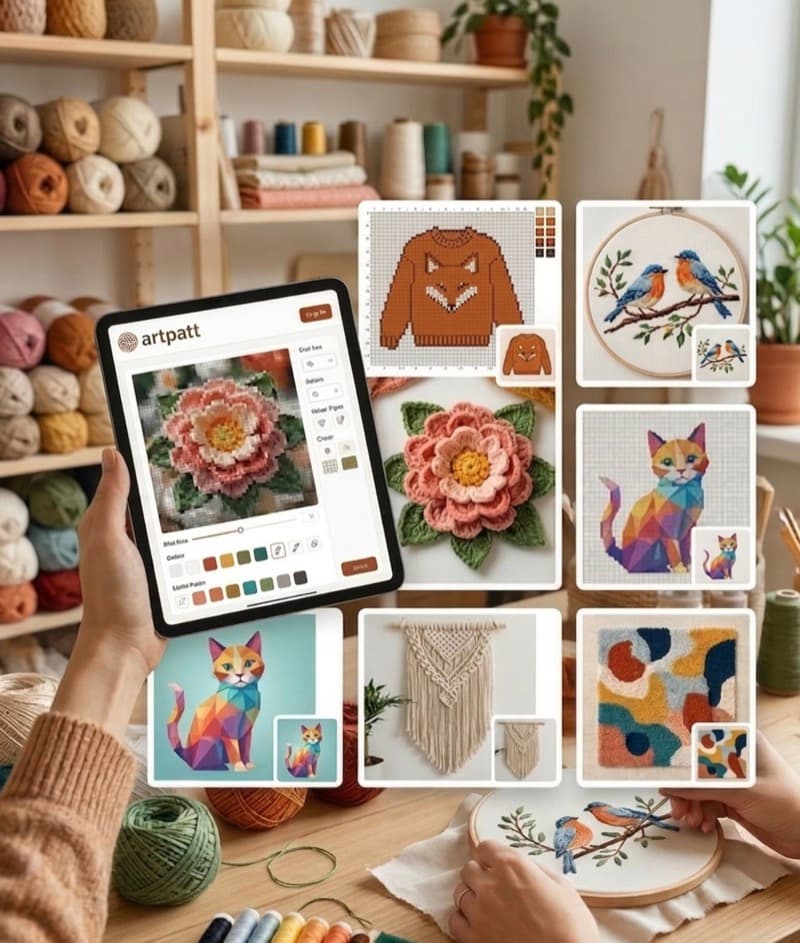
If you're new to crochet color charts, start with a simple, bold image: a geometric shape, a simple animal silhouette, or a logo. Upload it to ArtPatt, set the craft to Crochet, stitch to SC, width to 60-80 stitches, colors to 6-8, and confetti to Medium. Generate the pattern and review the preview. Does it look like your image? Is the color count manageable? Once you're happy with the preview, unlock the PNG/PDF export. Print the chart pages, get your yarn in the colors shown, and work your first row from bottom-right to bottom-left. The chart will tell you everything you need to know one cell at a time.
Chart Symbols: Color vs Black-and-White Printing
Every color in a crochet chart has two identifiers: the fill color displayed on screen, and a symbol used in the black-and-white print version. The symbol (a letter, number, or shape) is important when two colors in your palette look similar on screen or when you are printing the chart in grayscale to save ink. The ArtPatt color legend always shows both the color swatch and the symbol side by side. Before starting a project, take 2 minutes to match each yarn ball to its chart symbol: write the symbol directly on a small piece of masking tape and attach it to the yarn ball or bobbin. When your eyes are tired after hours of crocheting and two yarn colors look identical in lamplight, the symbol on the bobbin tells you immediately which one to pick up. For printed charts, the B&W symbol version is particularly useful because you can photocopy it, highlight completed rows with a marker without affecting the underlying symbols, and replace damaged pages without reprinting the entire chart.
What to Do When You Lose Your Place in the Chart
Losing your place in a long color chart is one of the most common frustrations in colorwork crochet. Prevention is better than recovery: mark the current row with a sticky note or row magnet every time you put the work down — even for five minutes. If you have already lost your place, do not guess. Count the completed rows from the bottom of the blanket — this is tedious but gives you an exact row number to match to the chart. If the blanket is too large to count the full height accurately, count from the most recently recognizable design element (a clear color boundary, the top of an ear, the transition between background areas) and match that feature to the chart. From the matched row, the row above is the one you are working next. Another useful technique: photograph your current work-in-progress from directly above before every session ends — a sequence of progress photos gives you a visual reference that can be matched to the chart even after a long break from the project.
FAQ
How do I read a crochet color chart?
Treat each square as one stitch unless the pattern says otherwise. Find the chart legend, identify the background and accent colors, then begin at the row and direction named by the designer. Keep the written row count beside the chart so you can verify your place after every completed row.
Which direction should I read a crochet graphghan chart?
For flat single-crochet charts, rows are commonly worked from the bottom upward and alternate direction as you turn. Some designers number rows or add arrows, so follow the chart’s legend first. If the pattern is worked in the round, read the chart according to its round numbers rather than assuming a back-and-forth path.
How do I handle color changes in a crochet chart?
Change color during the final yarn-over of the stitch before the new color begins. Carry a second color inside the fabric only when the carry will stay hidden and does not add too much bulk; otherwise drop it and pick it up again. Mark every completed row to keep color changes aligned.
Related Articles