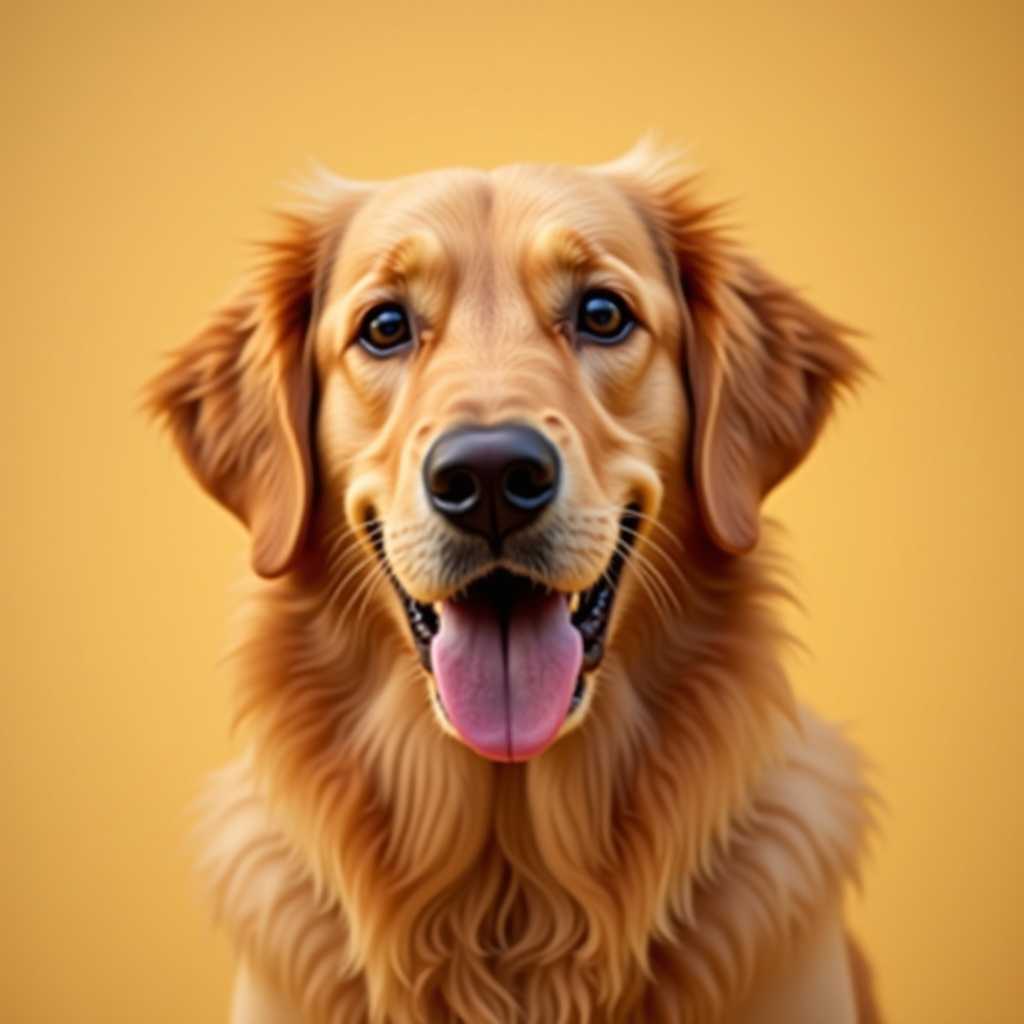
Your photo
Turn Any Photo, Picture, or Image Into a
Diamond Painting
Upload any photo, picture or image and get a diamond painting template with DMC colors and drill counts. Free.
Free to use · No sign-up
What You Get from One Photo
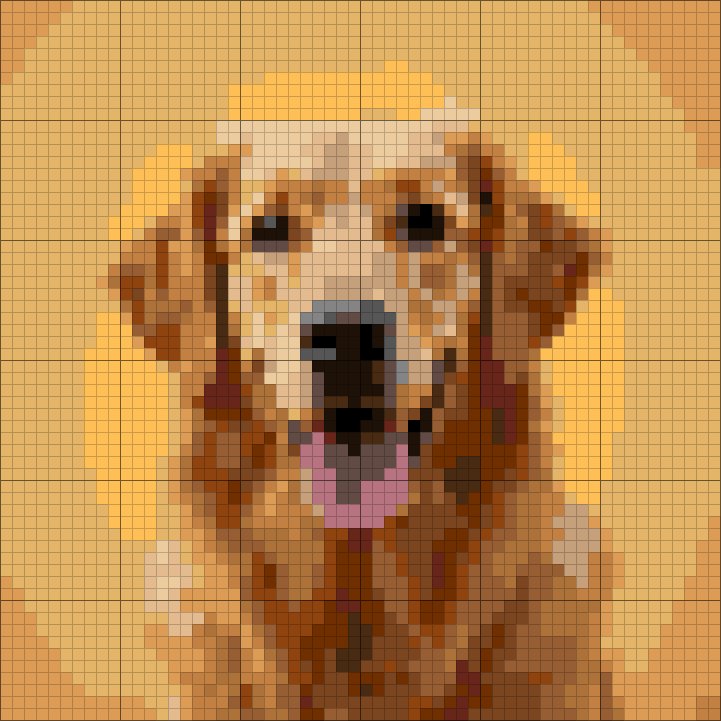
This is the chart ArtPatt made from the photo above: 60 × 60 diamond painting chart in 20 colors.
A DMC code for every drill
Colors are matched to the DMC numbers drill sellers use, so any supplier can fill the order.
A symbol in every cell
The printed chart runs across pages with numbered rows and columns and overlapping edges.
Bags counted for you
Each color's drills are converted to bags of about 200, with roughly 10% spare.
Color legend from this chart
- DMC 7288 bags
- DMC 9772 bags
- DMC 7422 bags
- DMC 4342 bags
- DMC 9762 bags
- DMC 38261 bag
+ 14 more colors in the full legend
From Diamond Painting Chart to Finished Piece
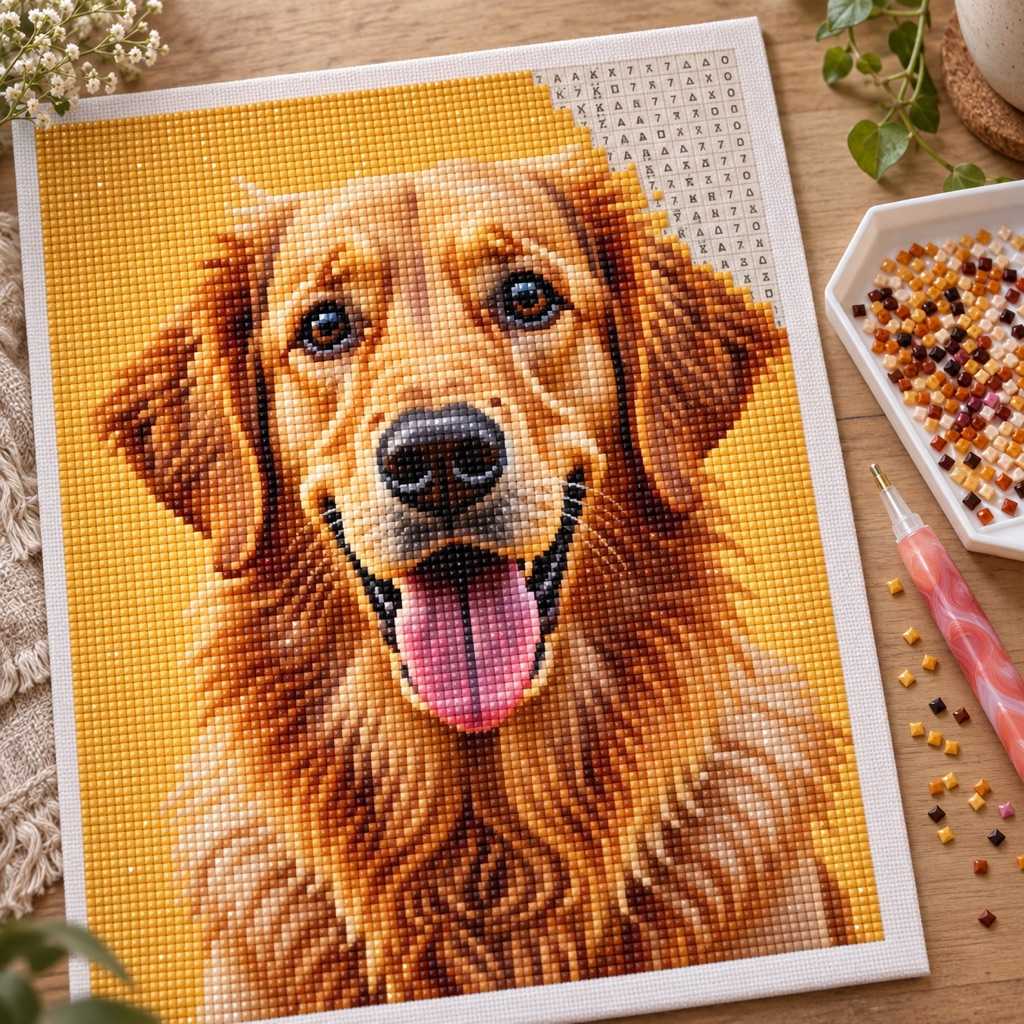
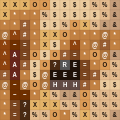
The same few squares, as they sit on the chart and as they look once worked.
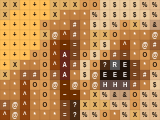
On the chart
- One square, one color, one symbol
- Rows and columns are numbered in the PDF
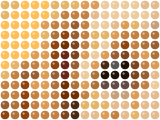
Placed in round drills
- Each square of the chart is one drill
- Round drills sparkle and forgive small gaps
- Square drills use the same chart
How it works
Upload Your Photo
JPEG, PNG, or WebP. Close-up subjects with clean backgrounds work best. Crop tightly. For darker photos, boost brightness and contrast before generating so the tool can separate dark tones into distinct DMC colors rather than one muddy block.
Choose Drill Shape and Canvas Size
Square drills (2.5 mm) for sharpest photographic detail; round drills (2.8 mm) for sparkle and easier placement (a round-drill canvas runs ~10% wider for the same drill count). Custom grids go up to 2,000 drills a side on every plan.
Set Colors and Confetti Reduction
On Auto the generator picks a color count for your photo (default 20); 15–35 DMC colors suits most photos. Set confetti reduction to Medium to eliminate isolated single-drill changes and tune brightness/contrast live.
Preview and unlock the chart
Free: full browser preview and drill counts. A $3.99 single unlock or Pro ($6.99/month or $39.99/year) downloads the HD PNG plus printable PDF with DMC color legend, per-color drill and bag counts, symbol key, and sectioned grid pages.
Why ArtPatt for Photo to Diamond Painting
Diamond painting has its own specific requirements — drill spacing, DMC matching, per-color counts — and these features handle them exactly.
10 Drills/Inch (2.54 mm) Chart Pitch
ArtPatt lays out the template at 10 drills per inch (2.54 mm), matching standard 2.5 mm square drills closely. For 2.8 mm round drills, expect the finished sticky area to run about 10% larger for the same drill count.
Full 489-Color DMC Matching
Diamond painting drills are manufactured in the 489 DMC color codes. ArtPatt matches every drill using CIEDE2000 perceptual color distance (and also supports 445 Anchor shades), keeping skin tones, warm browns in pet fur, and near-blacks distinct.
Confetti Reduction
Every isolated single-drill color change is a separate tray switch when you paint. Medium confetti reduction merges stray single drills into surrounding colors so you place longer same-color runs without changing how the finished piece reads.
Round and Square Drills
Square drills (2.5 mm) pack edge to edge for the crispest mosaic look — best for detailed photos. Round drills (2.8 mm) leave small gaps that catch the light and are easier to place straight without rotating.
Per-Color Drill and Bag Counts
The legend shows every DMC color with its number, symbol, exact drill count, and 200-drill bags (with +10% spare built in) so you can order drills by DMC code.
Brightness and Contrast Controls
Dark pet photos and low-light portraits often collapse into one dark DMC color. Adjust brightness and contrast (-50 to +50) live in the workspace before exporting so fur and shadow detail separate cleanly.
Diamond Painting Canvas Size, Drills, Bags and Time
Engine figures at 10 drills/in (2.54 mm), 200 drills per bag (+10% spare), and 450 drills/hour.
| Grid (drills) | Total drills | Canvas size (at 2.54 mm) | Bags: 20 colors (1 color) | Est. time |
|---|---|---|---|---|
| 80 × 120 | 9,600 | 20.3 × 30.5 cm (8 × 12 in) | 60 (53) | ~21 h |
| 120 × 160 | 19,200 | 30.5 × 40.6 cm (12 × 16 in) | 120 (106) | ~43 h |
| 160 × 200 | 32,000 | 40.6 × 50.8 cm (16 × 20 in) | 180 (176) | ~71 h |
| 200 × 280 | 56,000 | 50.8 × 71.1 cm (20 × 28 in) | 320 (309) | ~124 h |
Round 2.8 mm drills finish roughly 10% larger in width and height than the 2.54 mm column above. Bags assume an even split over 20 colors because each color rounds up to whole bags on its own.
Canvas Size, Drill Count, and Completion Time
Diamond painting grid size directly drives total drills and painting time. At 10 drills/in (2.54 mm), a 120 × 160 chart is 19,200 drills (30.5 × 40.6 cm (12 × 16 in), about ~43 h at 450 drills/hr), 160 × 200 is 32,000 drills (40.6 × 50.8 cm (16 × 20 in)), and 200 × 280 is 56,000 drills (50.8 × 71.1 cm (20 × 28 in)).
For photo-based designs, larger grids carry far more facial and fur detail. A pet face at 80 × 120 is bold and stylized; at 120 × 160 to 160 × 200 eyes, whiskers, and fur shading read clearly. Check the live preview before ordering drills or canvas.
Round vs Square Drills and Color Count
Square drills (2.5 mm) sit edge to edge with zero gaps, giving portraits and text the sharpest mosaic finish. Round drills (2.8 mm) drop into place faster without alignment rotation and sparkle more, while making the same drill count finish about 10% larger.
Color count balances detail against tray management. 15–20 colors suits bold graphics and simple landscapes; 25–35 colors captures skin tones and pet fur gradients cleanly. Above 40 colors, neighboring DMC shades become hard to tell apart on the canvas.
Charting, editing and drill counts are free in the browser; printable PDFs and HD PNGs come with a $3.99 single unlock or Pro ($6.99/month or $39.99/year) on the pricing page.
Photo to Diamond Painting: Free vs Single Unlock vs Pro
Previewing and drill counts are free, and every plan charts up to 2,000 drills a side; you only pay for the downloadable chart.
| Free | Single unlock | Pro | |
|---|---|---|---|
| Price | $0, no card | $3.99 once, per chart; guest checkout | $6.99/month or $39.99/year |
| Charts | 1 project every 7 days, unlimited edits | The chart you unlock | Unlimited |
| Browser preview, edits and on-screen counts | Yes | Yes | Yes |
| HD PNG | No | Yes, for this chart | Yes, every chart |
| Printable PDF chart with DMC drill legend, drill counts and bags | No | Yes, for this chart | Yes, every chart |
| Other craft generators | Shares the one free project | Unlock each chart | All 15 free generators, plus amigurumi |
Full plan comparison is on the pricing page.
Photo to Diamond Painting FAQ
Upload your photo to ArtPatt, select Diamond Painting, pick round or square drills and grid size, then generate. Colors map to the 489-color DMC palette with per-color drill and bag counts. Preview is free; a $3.99 single unlock or Pro downloads the HD PNG and printable PDF.
Square (2.5 mm) for sharpest photographic detail and a gap-free mosaic look. Round (2.8 mm) for extra sparkle and faster placement — note that round drills finish about 10% larger for the same drill count.
120 × 160 (30.5 × 40.6 cm (12 × 16 in)) is a solid starting size for most portraits. Move up to 160 × 200 or 200 × 280 for detailed faces or group photos, and 80 × 120 for simple icons or close-ups.
15–35 DMC colors for most photos (the generator defaults to 20 on Auto). Under 12 looks flat; over 40 adds many subtle shades that slow down sorting.
Yes — the full 489-color DMC palette matched by CIEDE2000 perceptual distance (plus 445 Anchor shades if selected), so you can order drills by DMC number.
Merging isolated single-drill color changes into surrounding colors so you spend less time swapping trays while keeping the overall image intact.
The engine counts exact drills per DMC color, adds 10% spare drills, and rounds each color up to whole 200-drill bags.
Every plan (Free, Single Unlock, and Pro) supports custom grids up to 2,000 drills on a side, split automatically across numbered PDF pages.
Yes. The workspace includes live brightness and contrast sliders (-50 to +50) so you can open up dark fur or shadow areas before downloading.
Yes. 1 upload, generation, and full browser preview and all of its edits are free, with no account required. A $3.99 single-pattern unlock gives you the PNG and printable PDF. Pro ($6.99/month or $39.99/year) unlocks unlimited patterns, HD PNG, and printable PDF with DMC legend, per-color drill counts, symbol key, and sectioned grid pages. The free project reopens 7 days after you use it.
Related Diamond Painting Tools
Diamond Painting Pattern Generator
Full guide to diamond painting template generation with DMC color options.
Diamond Painting Size Calculator
Convert between canvas dimensions and drill count for 2.5 mm square and 2.8 mm round drills.
Diamond Painting Drill Calculator
Calculate drill counts per color and total drills for any canvas size.
DMC Color Chart
Browse the full 489-color DMC palette with hex codes and color families.
Find DMC Color
Search the DMC palette by color, hex, or family to match specific drills.
Paint by Numbers Generator
The same photo as a numbered paint-by-numbers template with a color key, printed on paper or canvas.
Pet Portrait Pattern Generator
Specialized pet photo conversion with CIEDE2000 fur color matching.