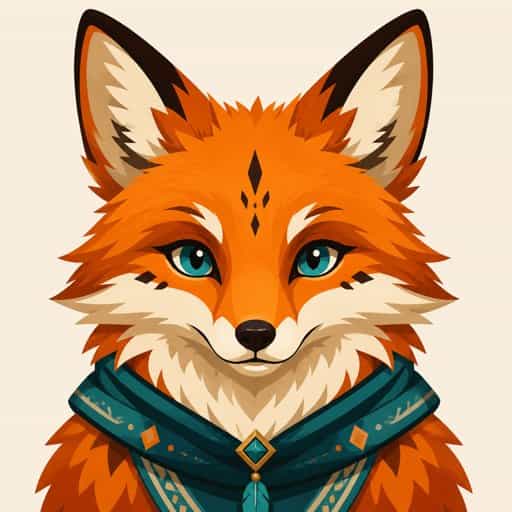
Your photo
DST File Converter
for Any Picture
Turn a logo, drawing or photo into a Tajima DST file — digitized into fills, satin and trims that commercial and home machines sew, with a preview of every stitch.
Free to use · No sign-up
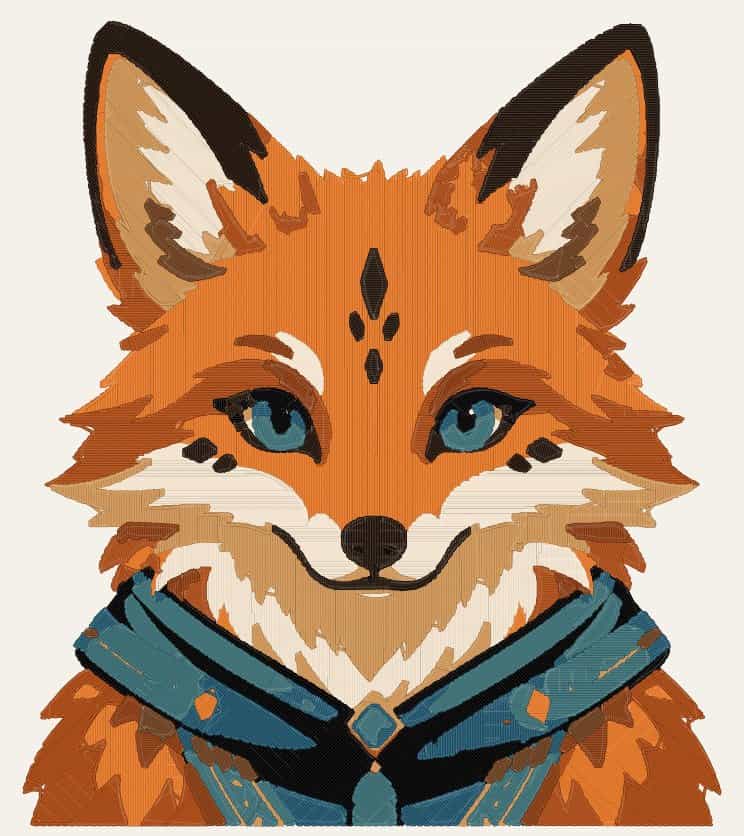
This illustration in a 5×7 hoop: 20,000 stitches, tatami fills with satin details.
Digitized, Not Just Converted
Renaming a PNG does not make an embroidery file. The picture has to become stitches.
Fills and satin, chosen per shape
Wide areas get a tatami fill at an angle over an underlay that holds the fabric flat. Narrow shapes — outlines, letters, whiskers — get satin stitches across the column, the way a digitizer would sew them.
Sized to your hoop
Pick 4×4, 5×7, 6×10 or 8×8 and the design is fitted inside it, with the stitched area measured in millimetres and density kept at 0.4 mm row spacing whatever the size.
Trims, jumps and lock stitches
Colors are sewn from the background to the details, each object nearest-first, with lock stitches at every start and end and a trim wherever the thread would otherwise drag across the design.
See every stitch first
Before you download, the preview draws each stitch in its thread color, with the stitch count, number of colors and trims, and the sewing time.
Logos and Lettering Stay Crisp
Flat art is the easiest thing to digitize well. Solid shapes become clean fills, text becomes satin columns, and the white around a logo — and inside an O or an a — is left to the fabric instead of being stitched in white thread. Transparent PNGs work the same way.
Convert to DST
How to Convert an Image to DST
DST is the Tajima format and the closest thing embroidery has to a universal file: commercial multi-needle machines read it, and so do most home machines and every embroidery program. It stores only needle moves — stitches, jumps, trims and color stops — so the digitizing has to be right before it is written.
Upload the picture and the generator digitizes it: colors become thread colors, wide areas become tatami fills over an underlay, narrow ones satin columns, and everything is sequenced from background to detail with trims between objects. Choose the hoop and the design is fitted to it.
DST does not carry thread colors, so the preview lists the colors in sewing order — set them on the machine as it stops for each change.
Have a Brother, Baby Lock or Bernette? The same download includes a PES file of the design (version 6, the one PE-Design writes) with the thread colors and the preview icon the machine screen shows, so converting a PNG or JPG to PES is the same upload. Janome owners get JEF, Melco owners EXP.
Convert to DSTWhich Format Does My Machine Use?
PES for Brother, Baby Lock and Bernette, DST for Tajima and nearly every commercial machine, JEF for Janome, Elna and Kenmore, EXP for Melco and Bernina.
All four formats store the same stitches, so pick the one your machine reads. If you are not sure, check the file list on its USB stick or in the manual — or download DST, which almost every machine and embroidery program can open.
DST File Converter FAQ
Digitizing and the full stitch preview are free, with no account. Downloading the DST (plus PES, JEF and EXP of the same design) is $2.99 once, or unlimited with Pro.
As the standard Tajima trim: three short jumps in place, which Tajima and compatible machines read as a cut. Jumps between objects follow the trim, so no thread is left dragging across the design.
Yes. Logos convert best: the plain background around the logo — and inside letters — is left unstitched, and text becomes satin.
Yes. DST opens in Wilcom, Hatch, PE-Design, Embrilliance, Ink/Stitch and nearly every other program, so you can edit it further there.
Yes. Every design downloads as PES as well as DST, JEF and EXP. The PES keeps the thread colors, so a Brother, Baby Lock or Bernette machine shows the right color at each stop. Copy it to a USB stick or transfer it the way you usually load designs.
No stitch is longer than 8 mm; the DST limit is 12.1 mm, and longer moves are split into jumps.
More Embroidery Tools
Embroidery Pattern Generator
Photo to a hand embroidery chart with DMC thread matching.
Embroidery Hoop Size Calculator
Find the hoop that fits your design.
Cross-Stitch Pattern Generator
Turn a photo into a counted cross-stitch chart.
Quilt Calculator
Plan the quilt your embroidered block or label goes on.
Free Stitch Preview — File from $2.99
Digitize and preview for free. Pay once to download the file, or go Pro for unlimited files and patterns.
Free
Make one pattern free every week.
- Upload any picture
- Choose colors and hoop
- Stitch preview with counts
- No account required
Tax is added at checkout where it applies.