Kandi Pattern Maker
Draw a kandi cuff bead by bead in pony bead colors, in ladder or multi (peyote) stitch, or start from a photo. The tool writes out every row for you and counts the beads.
Kandi (pony beads) grid designer
Draw on the grid with the palette, fill areas, or start from a photo. Everything stays in your browser.
- Grid
- 28 × 10
- Filled cells
- 0
- Total cells
- 280
- Rows
- 10 rows of 28 beads
- Around
- 28 beads ≈ 16.8 cm (6.6 in)A pony bead is about 6 mm along the hole. Kandi stretches over the hand, so measure around the widest part of the hand, not the wrist.
Colors used
Nothing drawn yet.
- Grid
- 28 × 10
- Filled cells
- 0
- Total cells
- 280
- Rows
- 10 rows of 28 beads
- Around
- 28 beads ≈ 16.8 cm (6.6 in)A pony bead is about 6 mm along the hole. Kandi stretches over the hand, so measure around the widest part of the hand, not the wrist.
Colors used
Nothing drawn yet.
28 × 10 · Change size
Written pattern
Each row left to right, top row first. Skip = leave that spot empty.
- Row 1: 28 skip
- Row 2: 28 skip
- Row 3: 28 skip
- Row 4: 28 skip
- Row 5: 28 skip
- Row 6: 28 skip
- Row 7: 28 skip
- Row 8: 28 skip
- Row 9: 28 skip
- Row 10: 28 skip
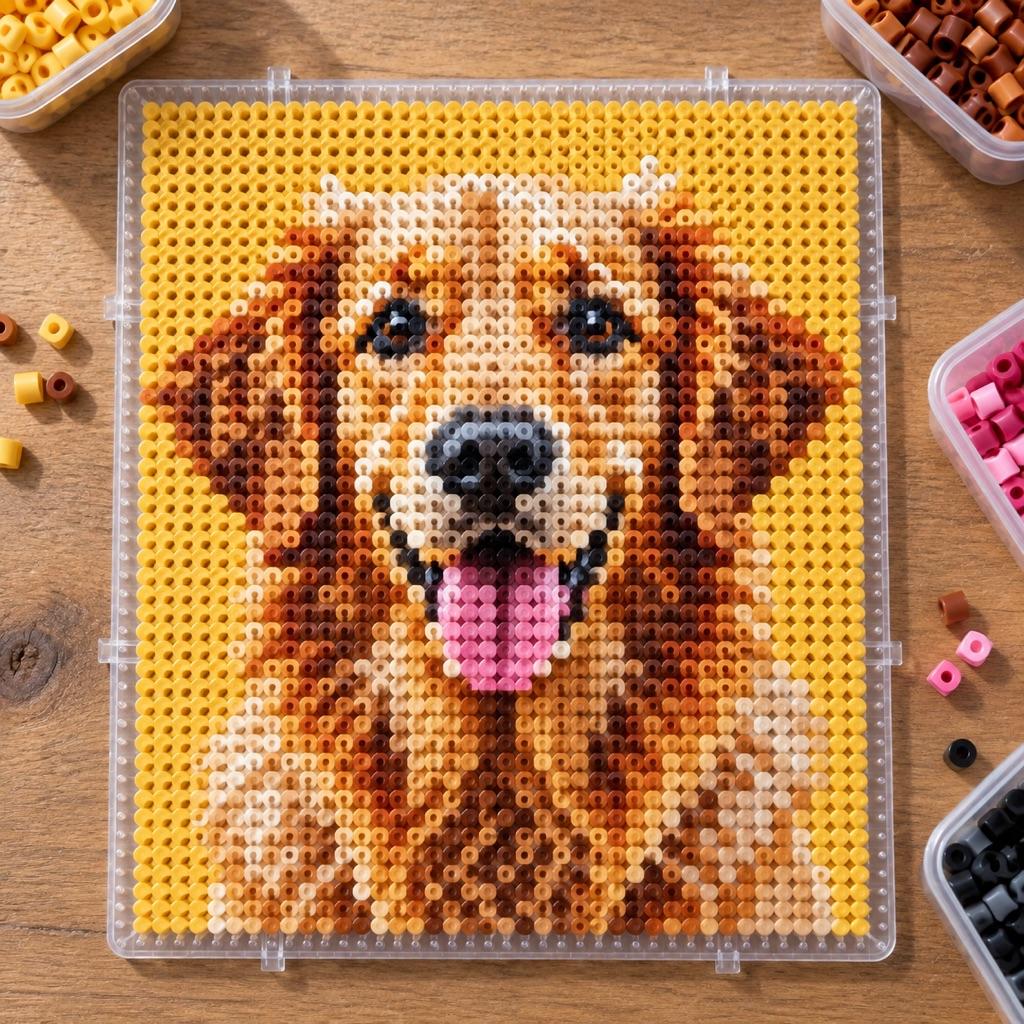
Turn a photo into a real pattern
Want a detailed picture as beads? The Perler generator matches a full photo to bead colors and counts them.
Turn a photo into a bead patternHow to read the kandi chart
One cell is one pony bead. The width is how many beads go around the cuff, and the height is how many rows tall it is. Pick the stitch first, because it changes how the chart is drawn: in ladder the beads sit in straight rows and columns, while in multi (peyote) every other column hangs half a bead lower. That zigzag is not decoration. It is where the beads actually sit on a peyote cuff, so what you see on the chart is what you'll see on your wrist.
Under the chart, the written pattern turns the drawing into instructions. For ladder it lists each row left to right as color runs, like “4 Black, 2 Hot Pink, 4 Black”. For multi it starts with the base loop and then lists every round of add one, skip one. Each round fills every other column, so two rounds finish one chart row. You can bead straight from that list without counting squares on a screen.
Size comes from the bead. A pony bead is about 9 mm across and 6 mm along the hole, so each bead adds about 6 mm around the cuff. Kandi has to stretch over your hand, so measure around the widest part of the hand rather than the wrist. Most adult singles end up around 30 beads, and the default 28 is a common starting base for a multi cuff. Multi needs an even number of beads around, or the base loop will not close, and the tool warns you if the width is odd.
Pony bead patterns from photos, Perler charts and letters
Start from a photo when you have a logo, a character silhouette or a symbol in mind. The image is cropped to the grid, shrunk to your width and height, and every pixel is matched to the closest pony bead color with the same CIEDE2000 color matching the main ArtPatt generators use. Strong shapes with a few flat colors come out best. A detailed face at 28 beads wide will not, so simplify the picture before you import it, or clean up the result with Draw and Fill.
Kandi and Perler are both square-grid crafts, so a Perler chart can be beaded as a ladder cuff one cell per bead, and a ladder kandi pattern can be fused on a pegboard. The picture stays the same and only the size changes: a pony bead is about 6 mm per cell, while a Perler midi bead is 5 mm. Multi (peyote) charts are different because of their half-bead offset. A design drawn for multi keeps its shape only in multi.
The palette has 30 opaque and neon pony bead colors under the names shops sell them by, like Black, Hot Pink, Neon Green and Royal Blue, so you can match a bag by name. Translucent, glitter, glow-in-the-dark and UV beads aren't in it, because no flat color on a screen shows what they really look like. Draw with the nearest opaque color and swap in the special bead when you string it.
Kandi Pattern Maker FAQ
Multiply beads around by rows: a 28-bead cuff that is 10 rows tall uses 280 beads. The tool counts every color as you draw, so the list under the chart is your shopping list. Buy a few spares of each color; beads crack and roll away.
In ladder stitch the beads stack in straight rows and columns, so the chart is a plain grid. Multi is the kandi name for even-count tubular peyote: you string a base loop, then add one bead, skip one, all the way around, so every other column sits half a bead lower. Multi makes the classic patterned cuff; ladder suits stripes, text and pixel-style pictures.
Each round of add one, skip one uses every other bead of the round before it. With an odd base the last stitch lands on the bead you started from, and the loop does not close cleanly. Set the width to an even number, and the tool warns you when it is odd.
0.7 mm stretch cord is the common middle choice. Go to 0.8 or 1 mm if your knots slip, and stay thinner for multi cuffs, because the cord passes through each bead more than once. Tie a surgeon's knot (pass the end through twice), add a second knot, and slide the knot inside a bead to hide it.
Yes, as a ladder cuff: both crafts use a square grid, so one cell becomes one bead. Rebuild the Perler chart here at the same width and height, and the written rows come with it. The finished piece is a bit bigger, because a pony bead is about 6 mm per cell and a Perler bead is 5 mm.
Yes. There is no account and nothing is uploaded: drawing, photo import and the PNG download all run in your browser. Copy the written pattern or download the chart and keep it.
Related Tools and Pages
Perler Bead Pattern Generator
Turn a photo into a fuse bead chart with matched colors and bead counts.
Perler Bead Patterns for Beginners
Eight easy designs to load and recolor, plus a beginner ironing guide.
Seed Bead Pattern Generator
Peyote, brick and loom charts at seed bead scale, in Miyuki Delica colors.
Pixel Art Grid
Sketch a sprite on a pixel grid first, then bead it.