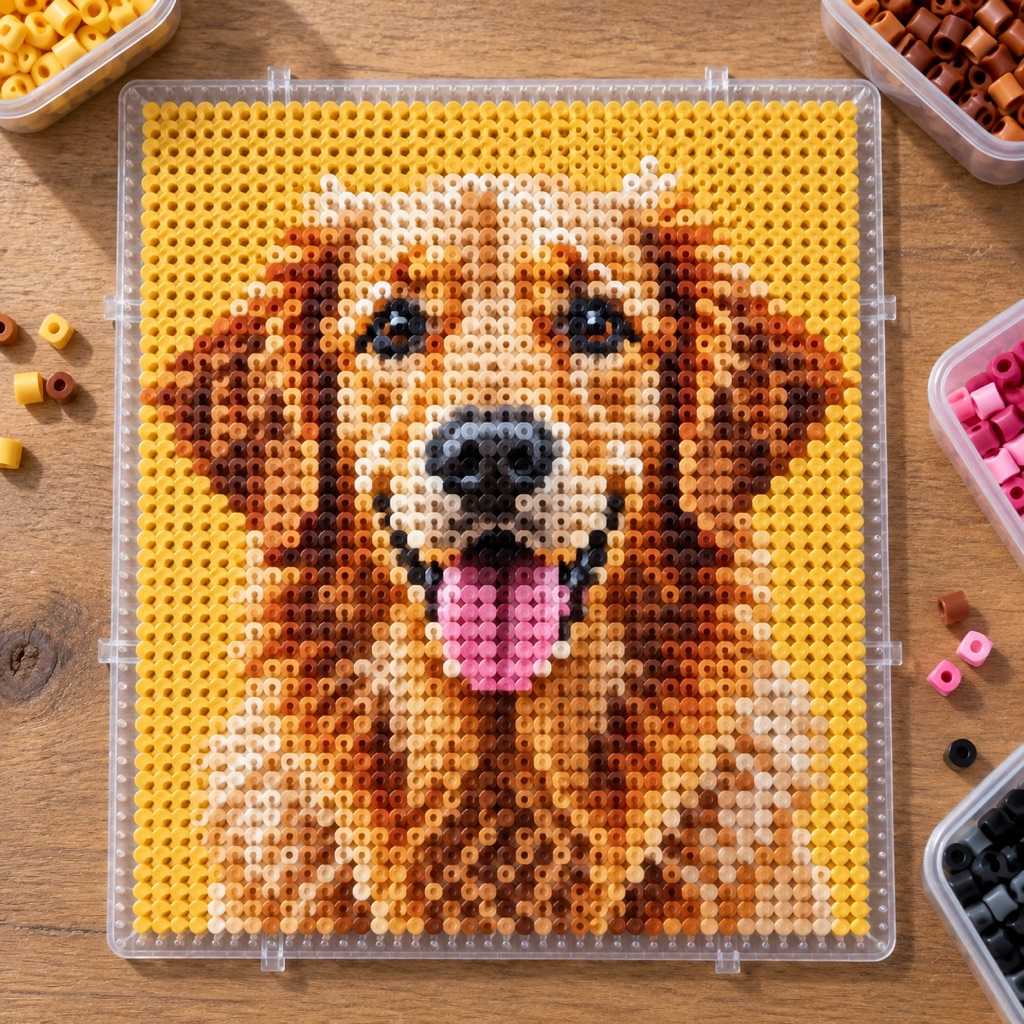

Your photo
Turn a Photo into a
Perler Bead Chart
Upload a photo, pick a bead size, and get a Perler chart with colors matched and beads counted per color.
Free to use · No sign-up
Fuse bead previews stay chunky and flat — a 5mm bead is a pixel, and the chart shows you exactly which ones.
What You Get from One Photo
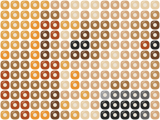
This is the chart ArtPatt made from the photo above: 40 × 40 Perler bead chart in 16 colors.
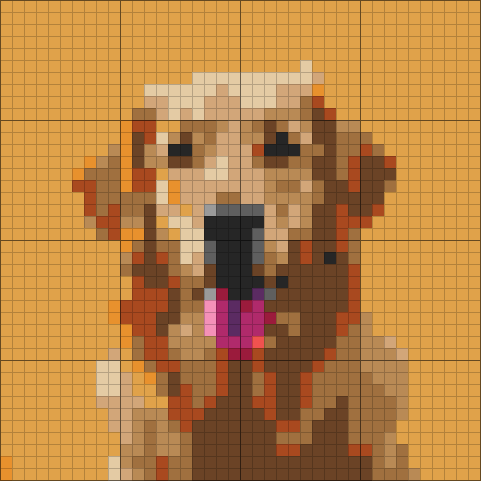
Perler colors matched
Each color in the picture is matched to a Perler bead color.
One bead per square
The chart is your peg map, row by row.
Beads counted per color
Every color's beads are counted and turned into bags to buy.
Color legend from this chart
- Butterscotch1 bag
- Brown1 bag
- Light Brown1 bag
- Rust1 bag
- Gingerbread1 bag
- Tan1 bag
+ 10 more colors in the full legend
From Perler Bead Chart to Finished Piece
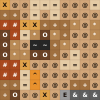
The same few squares, as they sit on the chart and as they look once worked.
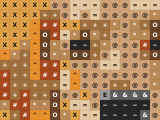
On the chart
- One square, one color, one symbol
- Rows and columns are numbered in the PDF
Placed on a pegboard
- Each square of the chart is one bead on one peg
- Iron the finished board to fuse the beads
- Bigger pictures span several pegboards
How it works
Pick a bold photo
One bead is one pixel, and a single large pegboard is only 29 pegs across. Silhouettes, logos, game sprites, pets against a plain background, and lettering all survive that reduction. Group photos and soft gradients do not — the preview will tell you honestly before you pour out any beads.
Set the grid to your boards
29×29 is exactly one large square pegboard. 58×58 is four boards in a 2×2 block, 87×87 is nine. Keeping the grid to a multiple of 29 means every seam falls on a board edge, so you can fuse each board separately and join the panels afterwards.
Choose bead size and colors
Midi (5mm) is the standard Perler bead and what nearly every pattern assumes. Mini (2.6mm) holds far more detail in the same space; biggie (10mm) is the toddler-safe size. Then keep the palette tight — 10 to 20 Perler colors reads as a picture, 40 reads as static.
Place, then fuse
Work the chart with the printout beside you — beads sit loose on the pegs until you iron them, so the order is up to you. Cover the finished board with parchment or ironing paper, iron in slow circles on medium, then flip and fuse the back. Free: full browser preview. The printable PDF with the Perler color legend, bead counts, and a symbol chart comes with the $2.99 single-pattern unlock or Pro ($6.99/month or $39.99/year).
Built for Beads on a Pegboard
Fuse beads are the most literal grid craft there is — the chart is the project, peg for peg.
Charts Sized to Real Pegboards
The standard Perler large square pegboard is 29×29 pegs, and the generator defaults to exactly that: your first pattern is a project you can start on the board already in the drawer. Bigger designs tile — the shopping list tells you how many boards the chart spans, e.g. 2×2 boards for a 58×58 chart, so you know what to lay out before you start.
Real Perler Colors, Not Approximate RGB
Every cell is matched with CIEDE2000 perceptual distance to an actual Perler solid color — Cheddar, Toothpaste, Prickly Pear, Blueberry Cream, Cranapple and the rest of the opaque range. The legend lists them by name, which is how the bags are labelled, so sorting beads means reading names instead of guessing which of your four blues the chart meant.
Beads Counted, Bags Rounded
Single-color Perler bags hold 1,000 beads. The generator counts beads per color from the chart, adds a spares buffer, and rounds up to whole bags — so a big piece tells you "3 bags of Black" instead of a number you have to divide yourself. Running out of one color halfway through a 3,000-bead panel is the classic way this hobby stalls.
Fusing Advice in the PDF
The printable chart carries craft-accurate instructions rather than cross-stitch boilerplate: beads can be placed in any order because nothing is fixed until it is ironed, the center marks are for lining a design up across boards, and the fuse step is parchment or ironing paper, medium heat, slow circles, both sides for a flat panel.
What Makes a Good Perler Bead Pattern
Fuse beads are pixel art you can hold. Each midi bead is 5mm across, so a full large square pegboard — 29 by 29 pegs — finishes at about 14.5cm, roughly the size of a coaster or a small framed piece. That resolution is the single fact that decides whether a photo will work. A face at 29 pixels wide has about a dozen beads for the eyes, nose and mouth together, which is enough for a cartoon and not enough for a portrait. Bold silhouettes, game sprites, logos, flags, holiday motifs, and lettering all convert cleanly.
Sizing is easiest in whole boards. 29×29 is one board, 58×58 is a 2×2 block of four, 87×87 is nine, and a large wall piece might be 116×116. Keeping the chart to a multiple of 29 means every seam lands on a board edge: you fuse each board on its own, then join the finished panels, instead of fighting a design that runs off the pegs halfway through a face. If you are working with mini beads at 2.6mm, the same peg counts finish at roughly half the size with twice the detail.
Palette discipline matters more than it looks. Perler's opaque range is wide enough that a naive conversion will happily ask for forty colors, most of them a single bead apart in shade — which reads as speckle once fused and means opening forty bags. Ten to twenty colors is the practical range for a photo-derived design, and the preview lets you drop or merge the ones doing the least work before you commit. Beads are also unforgiving of dithering: a checkerboard of two shades that looks like a blend on screen just looks like a checkerboard at 5mm.
Perler, Hama, Artkal and Melty Beads — and What Fuses With What
Perler, Hama, and Artkal are three brands of the same thing: fusible plastic beads placed on a pegboard and ironed. Perler is the dominant US brand, Hama the European one, Artkal a common budget alternative with a wider color range. Their standard sizes match closely enough that charts are interchangeable — Perler midi at 5mm and Hama midi at 5mm are the same grid, so a pattern generated here works for either. "Melty beads" and "fuse beads" are generic names for the same craft, and "melty bead patterns" and "Perler bead patterns" describe the same chart.
The three bead sizes are the real decision. Midi (5mm) is the default and by far the best supported: the widest color range, the most pegboards, and the size every published pattern assumes. Mini (2.6mm) fits about four beads in the space of one midi, which is what people use for detailed portraits and small sprites — it is fiddly and worth it only when the design needs it. Biggie (10mm) is for young children and finishes fast at large physical size.
Fuse beads versus cross-stitch and diamond painting: all three are one-cell-one-unit crafts, and the charts look similar, but the finished object could not be more different. Cross-stitch is thread on fabric and stays flexible; diamond painting is resin drills on adhesive canvas and stays flat under glass; fuse beads become a single rigid piece of plastic you can stand up, magnet to a fridge, or build into 3D shapes by fusing panels together. Because the bead is the pixel, fuse bead charts are the least forgiving of detail and the most forgiving of mistakes — nothing is permanent until the iron touches it.
Finished pieces are mostly coasters, magnets, keychains, ornaments, sprite art, and framed panels, plus 3D builds assembled from several fused sides. Sealing is optional; a light second pass with the iron gives a flatter, glossier face if you want one.
Perler Bead Pattern FAQ
Yes. Free tier: 1 fully editable pattern project with no account required, a full browser preview, Perler color matching, and per-color bead counts. A $2.99 single-pattern unlock gives you the HD PNG and the printable PDF chart for that pattern. Pro ($6.99/month or $39.99/year): unlimited projects, every export, and every other craft generator.
Yes. Hama midi, Artkal, and any other 5mm fuse bead sit on the same 5mm grid as Perler midi, so the chart transfers directly — one cell is still one bead. The only difference is the legend: colors are matched to Perler's names because that is the range most people can name and buy, so with another brand you match by eye against the swatch in the legend rather than by bag label.
Anything worked one bead per grid cell on a flat pegboard: Perler, Hama, Artkal, melty and fuse beads at mini, midi, or biggie size, plus pony beads laid out on a square grid. Those all share the same chart — a grid where each cell names a bead color — so one generator serves them all and only the legend and the physical size change. It does not cover woven beadwork: peyote, brick stitch, and bead loom bracelets are seed beads on thread, and peyote offsets every other column by half a bead, so a pegboard chart would come out skewed. That has its own tool — the seed bead pattern generator charts peyote and loom stitch with Miyuki Delica colors. If you are charting fused beads or pixel bead art, this is the right page; if you are weaving seed beads, start there.
The standard large square pegboard is 29×29 pegs, which at midi (5mm) beads finishes about 14.5×14.5cm — coaster-sized. That is why the generator defaults to a 29×29 grid. For anything larger you tile boards: 58×58 is four boards in a 2×2 block, 87×87 is nine. The shopping list tells you how many boards your chart spans so you can lay them out before you start placing beads.
One grid cell is one bead, so a full 29×29 board is 841 beads and a 58×58 piece is 3,364. Single-color Perler bags hold 1,000 beads. ArtPatt counts beads per color from your chart, adds a buffer for the ones that end up on the floor, and rounds each color up to whole bags — so you get "2 bags of Black, 1 bag of Cheddar" rather than a raw count to divide yourself.
Midi (5mm) unless you have a reason not to — it is the standard size, has the widest color range, and is what every published pattern and pegboard assumes. Mini (2.6mm) packs roughly four times the detail into the same physical area and suits small, detailed sprites and portraits, at the cost of much slower placing. Biggie (10mm) is the large size made for young children.
From a bold, simple one, yes. A bead is a pixel, and on a single board you only have 29 of them across, so fine features and soft shading cannot be rendered at all. Silhouettes, sprites, logos, lettering, and high-contrast subjects on plain backgrounds convert cleanly. If the photo needs detail, either give it more boards or pick a bolder image — the free preview shows you exactly what you would be placing before you buy anything.
Place every bead first — nothing is fixed until it is fused. Lay parchment or the ironing paper that came with the beads over the finished board, set the iron to medium with no steam, and move it in slow circles for 10 to 20 seconds, watching the bead holes through the paper. Stop when the holes are still visible but the beads have joined. Let it cool flat under a book, then peel it off the board, flip it, and fuse the back the same way for a flat, even panel.
Plan on roughly 600 beads an hour once you have a rhythm and your colors are sorted into cups. A single 29×29 board (841 beads) is an evening; a 58×58 four-board piece (3,364 beads) is a weekend project. The generator estimates the time for your exact chart, which is worth a look before committing to a nine-board design.
More Grid Pattern Tools
Seed Bead Pattern Generator
The woven side of beading: peyote and loom charts in Miyuki Delica colors.
Pixel Art Pattern Generator
The same one-bead-one-pixel thinking, mapped to cross-stitch and crochet instead of beads.
Diamond Painting Pattern Generator
The other place-a-piece craft: resin drills on adhesive canvas, with DMC codes and drill counts.
Cross-Stitch Pattern Generator
The same chart in thread — 489 DMC colors, symbols, and backstitch detection.
Plastic Canvas Pattern Generator
Yarn on a rigid gridded sheet — the closest thing to a pegboard you can stitch.
Perler Bead QR Code
Turn a link into a QR code that fits one 29 × 29 pegboard.
Kandi Pattern Maker
Draw pony bead patterns for ladder and multi (peyote) kandi cuffs, with photo import.
Perler Bead Patterns for Beginners
Eight easy designs to load and recolor, plus a beginner ironing guide.
Pixel Art Grid
Sketch your own design one square per bead before you place it on the pegboard.
Free to Try — Finished Chart from $2.99
Create and refine 1 Perler bead chart free, with no account required. Unlock when you want the chart to print and stitch from.
Free
Make one pattern free every week.
- 1 free chart project with unlimited edits
- Mini / midi / biggie bead sizes
- Perler color matching
- Full pattern preview in the browser
- No account required
Tax is added at checkout where it applies.