Perler Bead QR Code Generator
Paste a link and get a Perler bead QR code chart: the exact module grid, pegboard layout, bead counts per color, and a printable PNG you can place beads from.
Perler Bead QR Code
Paste a link or any text and the grid updates to the exact bead pattern.
- QR code
- Version 2 (25×25 modules)
- With quiet zone
- 29 × 29 modules
- Pegboards
- 1 × 1
- Finished size
- 14.5 × 14.5 cm (5.7 × 5.7 in)
- Beads — BLK
- 326 ≈ 1 bag of 1,000
- Beads — WHT
- 515 ≈ 1 bag of 1,000
- Total beads
- 841
Written rows (29 rows)
Listed top to bottom, each row read left to right, including the light border.
- Row 1: 29 light
- Row 2: 29 light
- Row 3: 2 light, 7 dark, 2 light, 1 dark, 1 light, 1 dark, 1 light, 3 dark, 2 light, 7 dark, 2 light
- Row 4: 2 light, 1 dark, 5 light, 1 dark, 1 light, 1 dark, 3 light, 1 dark, 1 light, 3 dark, 1 light, 1 dark, 5 light, 1 dark, 2 light
- Row 5: 2 light, 1 dark, 1 light, 3 dark, 1 light, 1 dark, 2 light, 1 dark, 1 light, 1 dark, 3 light, 2 dark, 1 light, 1 dark, 1 light, 3 dark, 1 light, 1 dark, 2 light
- Row 6: 2 light, 1 dark, 1 light, 3 dark, 1 light, 1 dark, 2 light, 2 dark, 1 light, 1 dark, 1 light, 2 dark, 2 light, 1 dark, 1 light, 3 dark, 1 light, 1 dark, 2 light
- Row 7: 2 light, 1 dark, 1 light, 3 dark, 1 light, 1 dark, 1 light, 1 dark, 4 light, 3 dark, 2 light, 1 dark, 1 light, 3 dark, 1 light, 1 dark, 2 light
- Row 8: 2 light, 1 dark, 5 light, 1 dark, 3 light, 1 dark, 1 light, 4 dark, 2 light, 1 dark, 5 light, 1 dark, 2 light
- Row 9: 2 light, 7 dark, 1 light, 1 dark, 1 light, 1 dark, 1 light, 1 dark, 1 light, 1 dark, 1 light, 1 dark, 1 light, 7 dark, 2 light
- Row 10: 11 light, 1 dark, 3 light, 2 dark, 1 light, 1 dark, 10 light
- Row 11: 2 light, 1 dark, 1 light, 1 dark, 1 light, 1 dark, 1 light, 1 dark, 2 light, 1 dark, 4 light, 3 dark, 3 light, 1 dark, 2 light, 1 dark, 3 light
- Row 12: 2 light, 1 dark, 2 light, 1 dark, 3 light, 1 dark, 3 light, 2 dark, 5 light, 1 dark, 5 light, 1 dark, 2 light
- Row 13: 2 light, 4 dark, 2 light, 3 dark, 1 light, 1 dark, 1 light, 2 dark, 2 light, 1 dark, 1 light, 3 dark, 1 light, 3 dark, 2 light
- Row 14: 2 light, 1 dark, 3 light, 1 dark, 2 light, 6 dark, 2 light, 5 dark, 3 light, 1 dark, 3 light
- Row 15: 2 light, 3 dark, 1 light, 7 dark, 1 light, 1 dark, 4 light, 2 dark, 2 light, 1 dark, 1 light, 2 dark, 2 light
- Row 16: 3 light, 2 dark, 4 light, 1 dark, 1 light, 5 dark, 2 light, 1 dark, 1 light, 1 dark, 2 light, 1 dark, 2 light, 1 dark, 2 light
- Row 17: 2 light, 1 dark, 3 light, 5 dark, 2 light, 2 dark, 1 light, 1 dark, 1 light, 4 dark, 2 light, 3 dark, 2 light
- Row 18: 3 light, 1 dark, 1 light, 1 dark, 3 light, 1 dark, 4 light, 6 dark, 2 light, 1 dark, 2 light, 1 dark, 3 light
- Row 19: 2 light, 1 dark, 1 light, 1 dark, 1 light, 5 dark, 2 light, 1 dark, 2 light, 1 dark, 1 light, 6 dark, 5 light
- Row 20: 10 light, 1 dark, 2 light, 1 dark, 2 light, 1 dark, 1 light, 1 dark, 3 light, 2 dark, 1 light, 2 dark, 2 light
- Row 21: 2 light, 7 dark, 2 light, 2 dark, 2 light, 1 dark, 1 light, 2 dark, 1 light, 1 dark, 1 light, 2 dark, 1 light, 2 dark, 2 light
- Row 22: 2 light, 1 dark, 5 light, 1 dark, 2 light, 3 dark, 4 light, 1 dark, 3 light, 2 dark, 2 light, 1 dark, 2 light
- Row 23: 2 light, 1 dark, 1 light, 3 dark, 1 light, 1 dark, 1 light, 2 dark, 2 light, 1 dark, 3 light, 6 dark, 2 light, 1 dark, 2 light
- Row 24: 2 light, 1 dark, 1 light, 3 dark, 1 light, 1 dark, 2 light, 1 dark, 1 light, 3 dark, 5 light, 4 dark, 4 light
- Row 25: 2 light, 1 dark, 1 light, 3 dark, 1 light, 1 dark, 1 light, 2 dark, 1 light, 2 dark, 1 light, 1 dark, 1 light, 2 dark, 2 light, 1 dark, 3 light, 1 dark, 2 light
- Row 26: 2 light, 1 dark, 5 light, 1 dark, 3 light, 1 dark, 1 light, 6 dark, 2 light, 2 dark, 1 light, 1 dark, 3 light
- Row 27: 2 light, 7 dark, 1 light, 1 dark, 1 light, 2 dark, 2 light, 3 dark, 1 light, 2 dark, 3 light, 2 dark, 2 light
- Row 28: 29 light
- Row 29: 29 light
Test it: scan the preview on screen with your phone camera before you start.
Dark BLK Black, light WHT White.
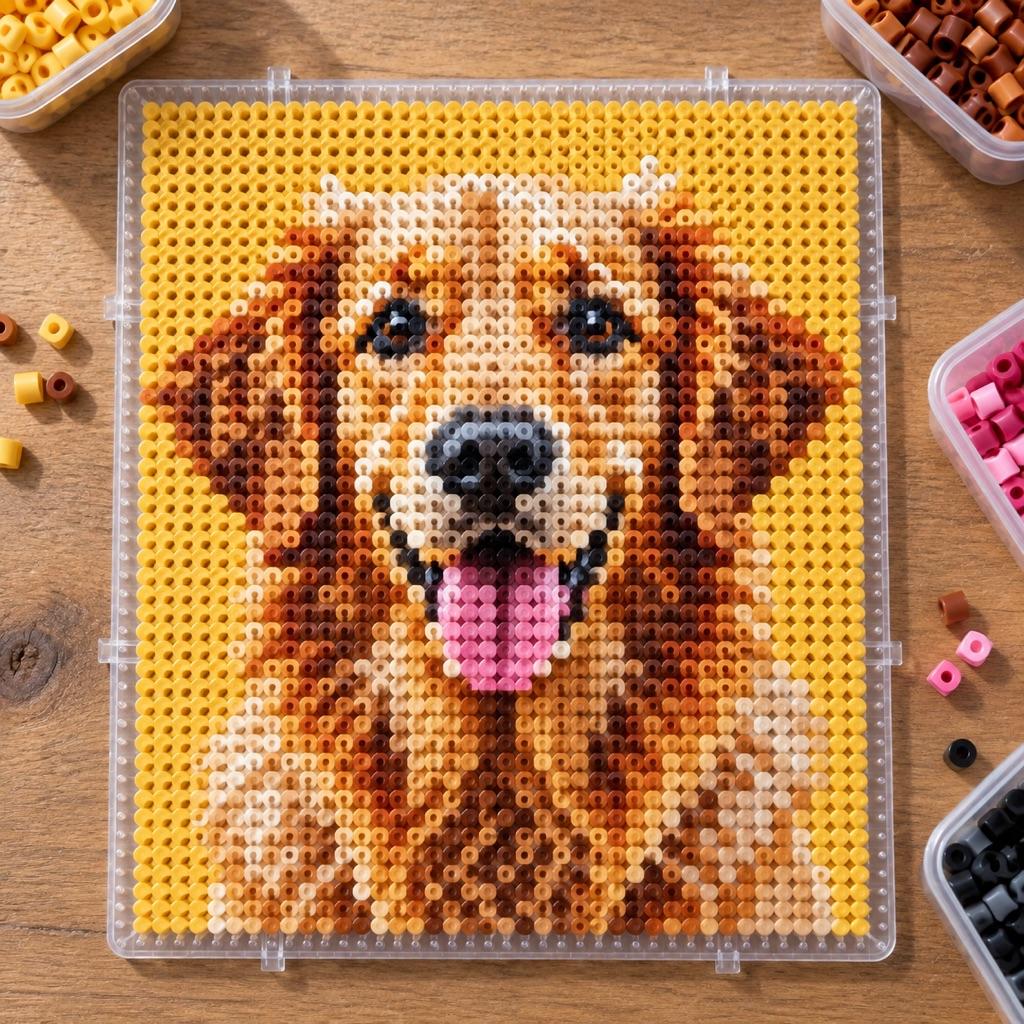
Turn a photo into a real pattern
Have a photo you want as beads? Generate a full Perler chart with colors matched.
Turn a photo into a bead patternHow big is a Perler bead QR code?
A typical short link such as https://artpatt.com makes a version 2 QR code, 25×25 modules. With a 2-bead white border that is exactly 29×29 — one large square pegboard (841 beads), about 14.5 cm / 5.7 in across with midi beads. A bare domain of up to 14 characters fits version 1 (21×21), which leaves room for the full 4-bead border on the same board. Longer text needs a bigger version — 29, 33, 37… modules, 4 more per version — so keep the link short; a link shortener is the easy way to stay on one board.
Use high-contrast colors — black on white is best. Dark on light works, but never reverse it: a light code on a dark background fails on many phone cameras. Iron evenly on both sides so the surface stays flat, and scan the code before you iron it — once the beads are fused, a wrong module is hard to fix.
Hama, Artkal and mini beads
The grid works for any 5 mm fuse bead brand — Hama, Artkal, and generic melty beads sit on the same lattice as Perler. The colors are listed by Perler's own names because that is how the bags are labelled, so with another brand match by eye against the swatch. Switch the bead size to mini or biggie to see how the finished size changes.
Perler Bead QR Code FAQ
Yes, when the contrast is high, the light border is kept, and every module is correct. Scan the preview on screen with your phone first, then scan the finished piece before you iron it — fusing flattens the beads and can soften the edges.
One module is one bead, plus the light border. A 29×29 board is 841 beads; the tool counts the dark and light beads separately and rounds each color up to whole 1,000-bead bags.
Medium (M) is the default and a good balance. Higher levels (Q, H) survive more missing or misplaced beads but make the grid bigger, which can push you onto more pegboards. Lower levels keep the pattern smaller.
Yes. Mini beads are 2.6 mm, so the same grid finishes at roughly half the size of midi, which lets a bigger version fit a smaller finished piece. Pick Mini under bead size to see the real dimensions.
The longer the link, the larger the QR version and the more modules it needs. A 29×29 board holds a version 1 code with a 4-bead border or a version 2 code with a 2-bead border. Shorten the link, lower the error correction to L, or tile several pegboards — the tool shows how many boards the grid spans.
Yes, as long as the dark color is clearly darker than the light one — scanners read dark modules on a light background. Inverted codes (light on dark) fail on many phones. When in doubt, keep black and white.
Related Tools and Pages
Rick Roll QR Code
Never Gonna Give You Up as a ready-made QR grid for beads, stitches or yarn.
Knitted and Crochet QR Codes
The same QR chart with knitting or crochet stitch proportions.
Perler Bead Pattern Generator
Turn a photo into a Perler chart with colors matched and beads counted.
Cross-Stitch QR Code
The same QR pattern charted as cross-stitch with DMC colors.
Pixel Art Pattern Generator
One-cell-one-pixel charts for stitching and beading.
Free Patterns
Browse free ready-made patterns from ArtPatt.